Validate Indian Passport Photo Online & India Visa Photo MakerReady for Official Submission.
Validate Indian passport photo online and create compliant India visa photos (35 × 35 mm / 2x2 in). Automatic background removal, 68–80% head height check, and Passport Seva Portal verification.
Checks based on official country rules
Photos are checked against official embassy rules. If rejected, we provide a full refund.
See How Your Photo Is Created
Our AI automatically checks and prepares your photo to meet India visa requirements.
Upload Photo
Snap a selfie or upload a portrait.
Snap a selfie or upload a portrait.
Automatic Checks
Face Detection & Centering
Finds your face and centers your eyes.
Background Clean & Color Fix
Removes shadows and sets a plain, solid background.
Head Size Check (18 – 24 mm)
Checks head height and centers your eye line.
Digital Size & File Prep
Exports a clear JPEG ready for upload or print.
Ready for Online Application
Upload straight to embassy forms with no crop errors.
Upload Photo
Snap a selfie or upload a portrait.
Auto Process
AI crops and clears the background.
Government Format
Checks size, lighting, and head ratio.
Secure & Private
Download your ready photo in 30 seconds.
India Visa Photo Specifications
Official photo dimensions and rules from published government guidelines.
India Official Photo Specifications
Passport Seva System & MEA Technical Guidelines for Digital & Printed Biometric Photos
Official government rule for application approvalMinistry of External Affairs (MEA) & Bureau of Immigration India
Application context: India Visa Application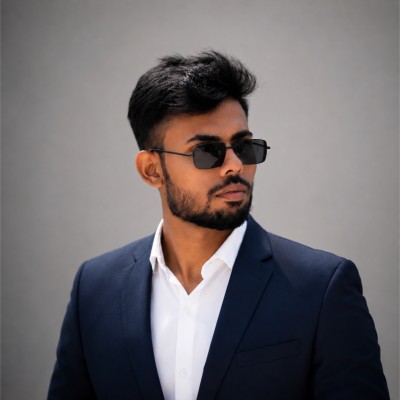
India Visa Photo Checklist at a Glance
- Photo Size:Exact 35 × 35 mm (413 × 413 px at 300 DPI)
- Head Height:18 – 24 mm from chin to top of head
- Background:Plain solid white or light gray, no shadows
- Pose & Expression:Face straight forward, neutral look, eyes open
- Eyeglasses:Not allowed (remove before photo)
- Digital Format:High-res JPEG file (10 KB – 300 KB)
| Specification Parameter | Official Requirement | VisaReadyNow AI Action |
|---|---|---|
| Official Standard | Passport Seva System & MEA Technical Guidelines for Digital & Printed Biometric Photos | Matches official embassy rules |
| Photo Dimensions | 35 × 35 mm | Auto-crops to exact size |
| Digital Resolution | 413 × 413 px at 300 DPI | High-quality 300 DPI JPEG for upload or print |
| Head Size (Chin to Crown) | 18 – 24 mm | Centers face within the frame |
| Background Color | White or Light Gray | Replaces background with clean solid color |
| Eyeglasses Policy | Strictly Prohibited | Checks for glare or frame reflections |
| Facial Expression | Neutral look, mouth closed, eyes open | Checks eye line and facial neutrality |
| File Size Limit | 10 KB – 300 KB | Optimized for fast online upload |
From Any Photo to Compliant
Our AI crops and adjusts your picture to pass official checks.
Original Photo
Not Compliant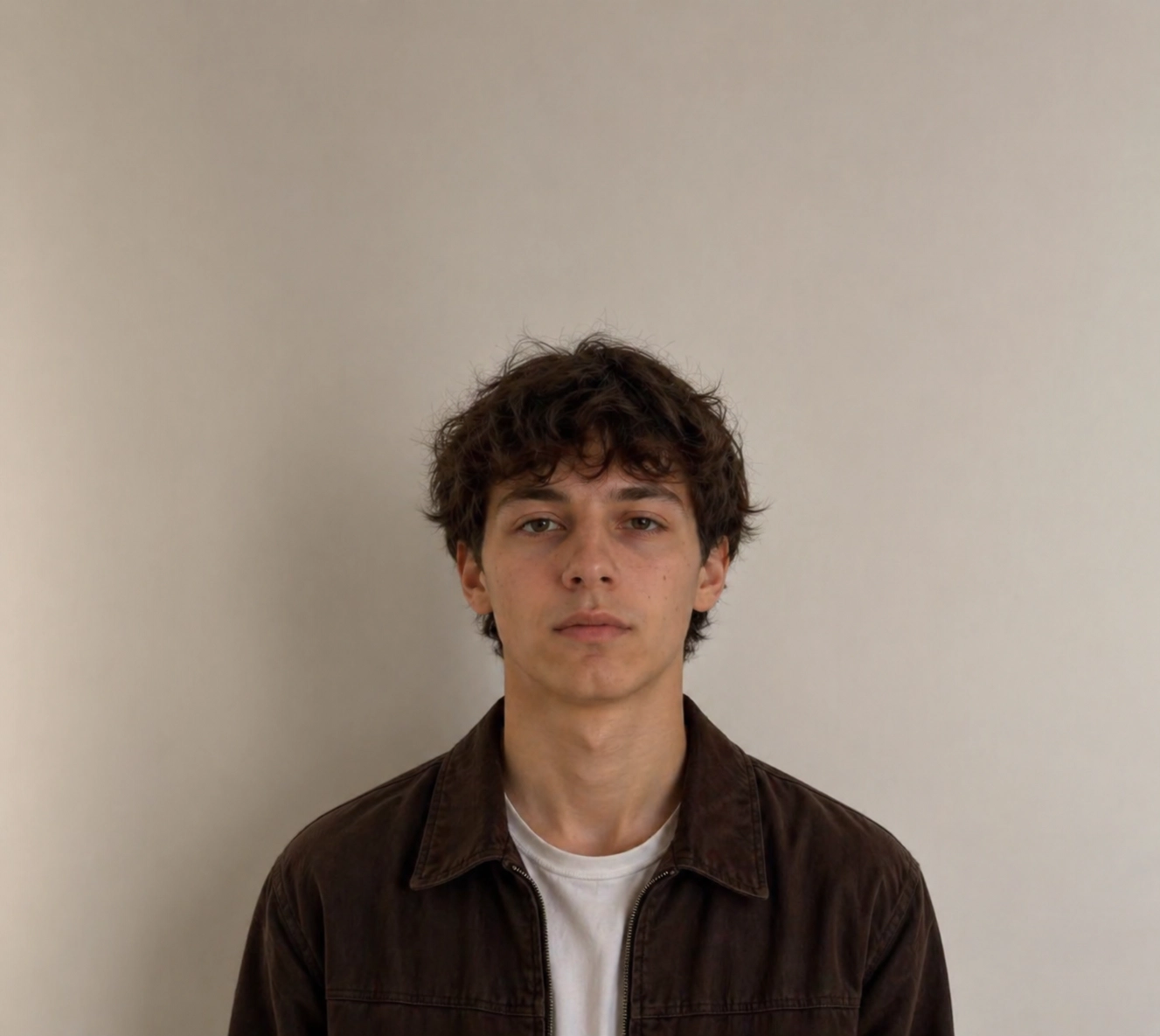
- ✕Background not plain
- ✕Shadow on background
- ✕Incorrect head size
- ✕Improper framing & position
- ✕Lighting not even
India Visa Photo
✓ Compliant Result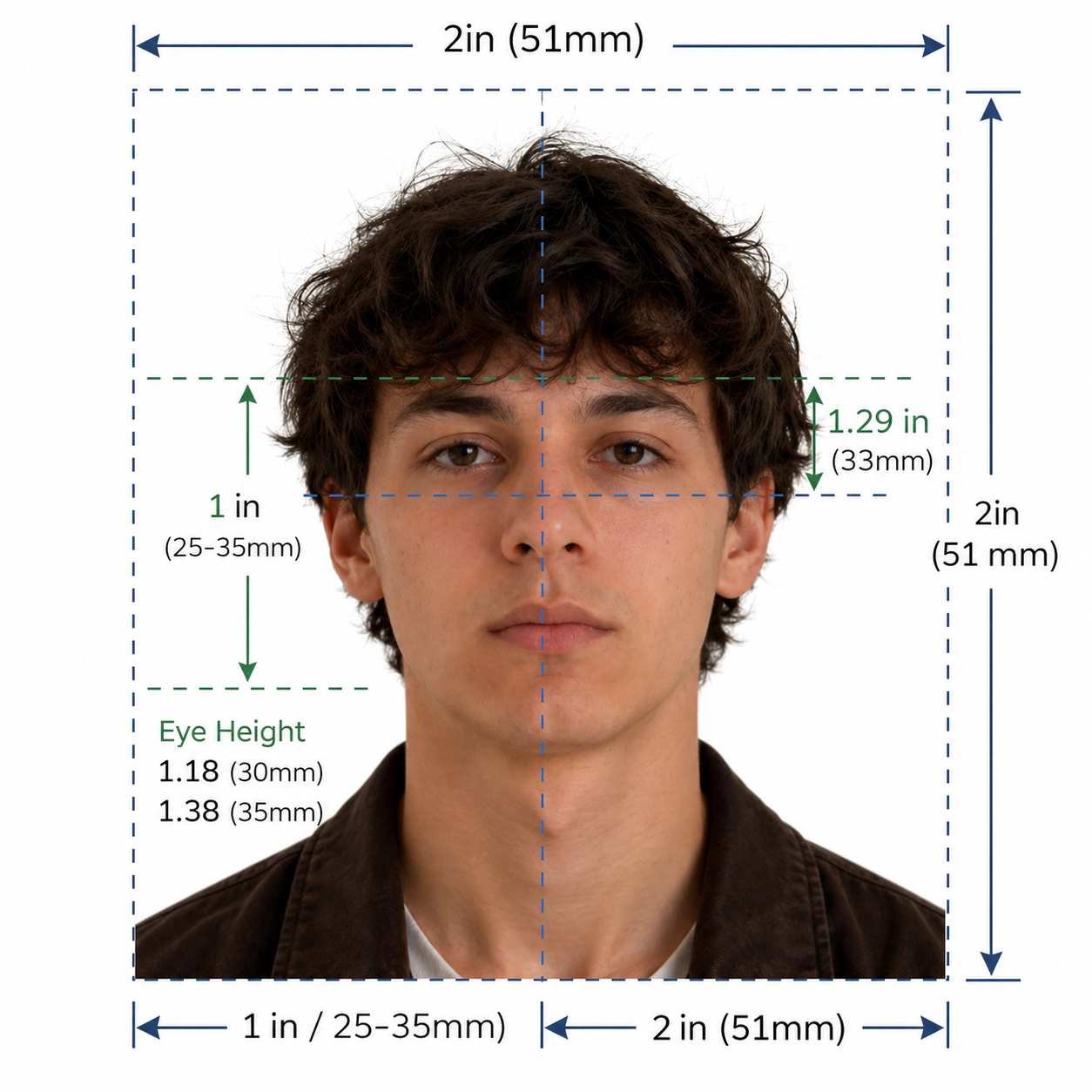
- ✓Plain white or light gray background
- ✓Correct head size & position
- ✓Proper framing (35 × 35 mm)
- ✓Even lighting, no shadows
- ✓Ready for online application upload
Official Format
Meets official India visa photo requirements.
Automatic Processing
Advanced AI technology for perfect results every time.
Secure & Private
Your photos are encrypted and automatically deleted.
Fast & Reliable
Get your compliant photo in under 30 seconds.
Why Choose VisaReadyNow
Get an approved photo on your first try.
Official Compliance
Photos follow official rules for each country.
Automatic Processing
AI crops, centers, and cleans your photo in seconds.
Secure & Private
Download your ready photo in 30 seconds.
Fast & Reliable
Get your finished photo in less than 30 seconds.
Full Refund Guarantee
If an embassy rejects your photo, we refund you in full.
190+ Countries & Territories
Exact sizes and rules for 190+ destinations.
Independent online tool
Built to match published embassy guidelines.
Used for All Applications
Works for tourist visas, business travel, and renewals.
India Tourist Visa
Create official 35 × 35 mm photos for tourist and e-Visa forms.
India Business Visa
Fast photo maker for business and work travel visas.
India Student Visa
Resize your photo for study permit applications.
Work Permit & Residence
Get approved photos for work permits and green cards.
Common Reasons Photos Get Rejected
Most photos are rejected for simple errors. Our AI fixes them for you.
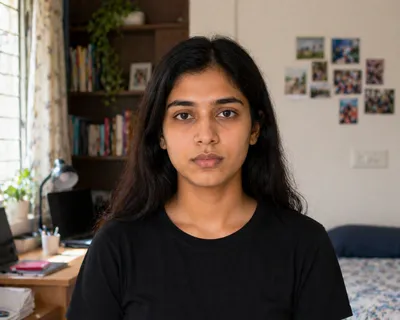
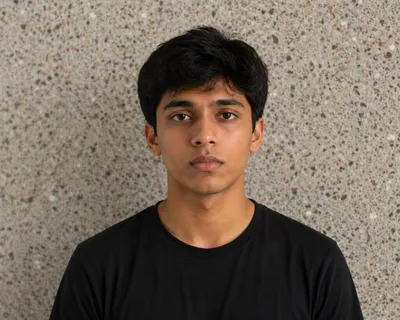
Wrong Background
Background has shadows, patterns, or wall marks.
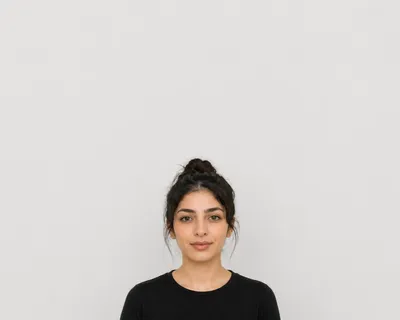
Face Too Small / Big
Head is too small or too close to the camera. (18 – 24 mm)
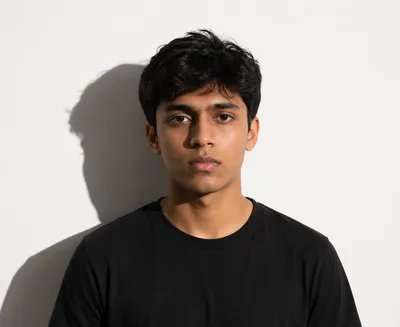
Poor Lighting
Harsh flash, dark shadows, or uneven light.
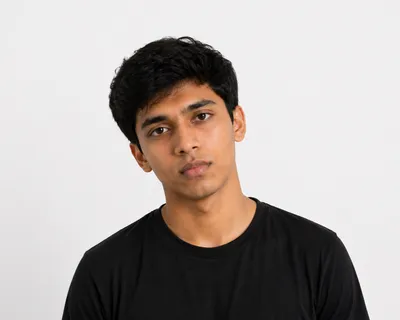
Incorrect Position
Tilted head or looking away from lens.
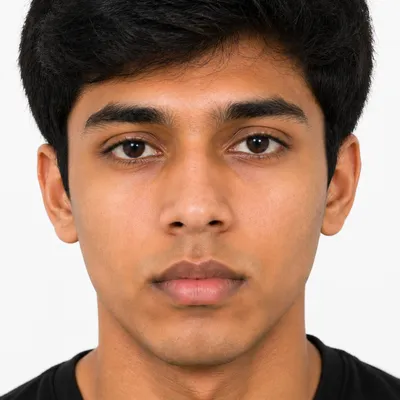
Wrong Crop / Size
Photo is cut too close or has the wrong size. (35 × 35 mm)
Low Quality
Photo is blurry, grainy, or low quality.
VisaReadyNow Fixes These Common Errors
We crop, center, and clean your photo so you can apply with confidence.
How to Validate Indian Passport Photo Online for Passport Seva & Visa
Submitting an Indian passport application on the Passport Seva Portal or an e-Visa application on Indian Visa Online? Use our automated tool to validate Indian passport photo online, verify biometric facial ratios, and ensure 100% embassy compliance.
Standard Dimensions
The official Indian passport size photo for Indian missions abroad and visa portals is 2 x 2 inches (51 x 51 mm). Select domestic services may request 35 x 45 mm.
Face covers 68% to 80% of heightPure White Background
A solid, plain white background (RGB 250–255) is mandatory. Photos with cream, off-white, light blue, or textured walls are automatically flagged by portal algorithms.
Shadow-free backdrop requiredDigital Upload Standards
When uploading a digital image to the Passport Seva Portal or Indian e-Visa system, files must be in JPEG format with a square aspect ratio between 10 KB and 300 KB.
Square 1:1 format at 300 DPIIndian Passport & Visa Photo Specifications Table
Compare biometric specifications across Indian travel documents to ensure you prepare compliant photos for your specific application type:
| Application Type | Physical Dimensions | Digital Upload Size | Face Height Ratio | Background Color |
|---|---|---|---|---|
| Indian Passport Application (Passport Seva Kendra) | 51 × 51 mm (2 × 2 in) or 35 × 45 mm | 350 × 350 to 1000 × 1000 px (10–300 KB) | 68% – 80% (35–40 mm) | Plain white background |
| Indian Visa / e-Visa (indianvisaonline.gov.in) | 51 × 51 mm (2 × 2 inches) | Min 350 × 350 px (10 KB – 1 MB JPEG) | 70% – 80% chin to crown | Plain white background |
| Overseas Citizen of India (OCI Card) | 51 × 51 mm (2 × 2 inches) | 200 × 200 to 500 × 500 px (under 200 KB) | 70% – 80% of total height | Plain white background |
| Indian PAN Card / Govt IDs | 25 × 35 mm (approx. 1 × 1.4 in) | 213 × 213 px at 300 DPI (under 50 KB) | Centred full face view | Plain white or light bg |
Essential Biometric Guidelines for Indian Photo Verification
Head Coverings & Religious Attire Regulations
Head coverings (such as Sikh turbans/pagri or Islamic hijabs) are permitted exclusively for religious reasons. The covering must be plain in colour without decorative patterns.
Crucially, your full face from the bottom of the chin to the top of the forehead must be completely unobstructed, and the covering must not cast shadows over any facial features.
Neutral Facial Expression & Eye Line
Maintain a relaxed, neutral facial expression. Both eyes must be open, alert, and looking directly into the camera lens. Your mouth must be firmly closed with teeth hidden.
Smiling, frowning, raised eyebrows, or squinting triggers automatic rejection during the biometric scanning process at Indian consulates and VFS centers.
Unobstructed Facial Features & No Eyeglasses
All distinctive facial features—including the forehead, eyebrows, eyes, nose, cheeks, and chin—must remain fully visible. Hair must be tucked behind your ears or pulled back.
Eyeglasses are strictly discouraged. Flash glare on glass lenses or thick frames covering the eyes is the single most common reason Indian passport photos get rejected. Remove glasses prior to taking your photo.
Lighting & Background Quality
Lighting must be balanced and diffused evenly across your face. No dark shadows should fall under the eyes, beneath the nose, or behind the ears against the white background. Avoid flash reflections that cause red-eye distortion.
How to Validate Indian Passport Photo Online in 4 Simple Steps
Follow this quick tutorial to verify your portrait before uploading to the Passport Seva Portal:
Take a Selfie
Snap a straight portrait in daylight. Keep your mouth closed and look directly at the lens.
Upload to Validator
Upload photo to our AI engine. It instantly measures head height, eye level, and tilt.
AI Background Fix
The tool eliminates background clutter and applies a pure, shadowless white background.
Download & Submit
Receive an official, high-resolution JPEG ready for your online digital upload or print.
Top 5 Reasons Indian Passport Photos Get Rejected
- Incorrect Background: Using cream, off-white, grey, or blue backdrops instead of pure white.
- Head Proportion Errors: Face height under 68% or exceeding 80% of the total frame height.
- Reflective Eyeglasses: Flash glare or frame borders obscuring the eyes or iris.
- Non-Neutral Expression: Showing teeth, wide smiles, or tilted head position.
- Shadows Behind Head or on Cheeks: Uneven single-source lighting creating strong silhouettes.
Frequently Asked Questions
Simple answers to top questions about creating photos online.
Q.How do I validate Indian passport photo online for the Passport Seva Portal?
To validate Indian passport photo online, upload your photo to our tool. Our AI engine verifies that the dimensions match 51x51 mm (2x2 in) or 35x45 mm, confirms that your face occupies 68% to 80% (35–40 mm) from chin to crown, applies a shadowless plain white background, and formats your digital image between 10 KB and 300 KB for direct Passport Seva Portal upload.
Q.Are head coverings permitted for Indian passport applications?
Yes. Religious head coverings (such as Sikh turbans/dastar and Islamic hijabs) are permitted on an Indian passport application. However, your full face from the bottom of your chin to the top of your forehead must be clearly visible, and the head covering must not cast shadows over any facial features.
Q.What is the required facial expression for an Indian passport size photo?
You must maintain a neutral facial expression with your mouth completely closed and both eyes open, alert, and looking into the camera. Smiling or showing teeth is strictly prohibited by the Ministry of External Affairs (MEA) and triggers automatic rejection.
Q.Can I create a India visa photo online?
Yes. You can create an official India visa photo online in seconds. Upload any clear selfie or portrait. Our AI tool auto-crops your photo to 35 × 35 mm, centers your face to 18 – 24 mm, and sets a solid white or light gray background. Your photo will match all official rules.
Q.Can I use this photo for official online applications?
Yes. Our tool creates high-resolution JPEG files ready for official online upload. Each file matches the exact pixel size (413 × 413 px), file limit (10 KB – 300 KB), and 300 DPI needed by embassy portals.
Q.Can I use a photo taken with my phone?
Yes. You can take a photo with any smartphone. Stand facing the light against a plain wall. Our tool will crop your face and clear the background for you.
Q.Does the tool automatically remove the background?
Yes. Our AI removes wall marks, shadows, and objects right away. It sets a clean, solid white or light gray background that meets India rules.
Q.Does the tool crop the photo automatically?
Yes. The tool detects your face and sets your head height to 18 – 24 mm. It crops the photo to the exact 35 × 35 mm size (413 × 413 px at 300 DPI).
Q.What file format and resolution will I receive?
You will get a clear JPEG image at 300 DPI. It works for both digital uploads and standard 4x6 inch print templates.
Q.What is the official size for a India visa photo?
India requires photos sized at 35 × 35 mm. For online forms, this equals 413 × 413 px at 300 DPI on a solid white or light gray background.
Q.What is the required face height?
Your face from chin to crown must measure between 18 – 24 mm. Your eyes must sit level in the top half of the photo.
Q.Can I wear glasses in a India visa photo?
No. India does not allow glasses in official photos. Remove them before taking your picture.
Q.What types of applications does this tool support?
It supports all major India applications: • Tourist and visitor visas • Business and work permits • Student visas • Passport renewals and child passports
Q.What if my India visa photo is rejected?
We guarantee our photos match published government rules. If the embassy rejects your photo, contact our support team for a free fix or a full refund.
Q.Is my uploaded photo secure and private?
Yes. Your photos are encrypted during upload and deleted from our servers right after processing. We never share or sell your photos.
Q.Is VisaReadyNow an official India government website?
No. VisaReadyNow is an independent tool that helps you prepare compliant photos. Official authorities make the final decision on your application.
High-Volume Passport & Visa Photo Makers
Make approved passport and visa photos for top global destinations.