How to Take Baby Passport Photo at Home: Complete Guide & Rules (2026)
Taking an infant to a pharmacy or photo studio is stressful, expensive, and often ends with crying babies and rejected pictures. This comprehensive masterclass teaches you exactly how to take baby passport photo shots at home using a standard smartphone, meeting the strict biometric standards required for official passport applications worldwide.
The Golden Rules of Baby Passport Photos at a Glance
Why Taking Baby & Infant Passport Photos at Home Is Smarter
When preparing international travel documents or official passport applications for infants, obtaining a compliant photograph is notoriously difficult. Taking a six-week-old infant to a retail pharmacy like CVS, Walgreens, or a commercial postal center usually results in frustration. Pharmacists use handheld cameras with harsh direct flashes, force babies into unfamiliar high chairs, and frequently produce pictures that fail government facial recognition scanners.
Learning how to take baby passport photo portraits in the comfort of your own living room gives you unlimited attempts, zero stress, and allows you to capture your baby when they are fed, well-rested, and happy. Using your smartphone and an ordinary household bedsheet, you can capture high photo quality that easily exceeds strict government biometric inspection criteria.
Official Government Rules & Lenient Exceptions for Babies
Both the U.S. Department of State (22 CFR § 51.26), the UK HM Passport Office, and Schengen Area consulates recognize that infants cannot follow instructions like adults. Because of this, official guidelines provide specific, compassionate allowances when assessing child’s passport photos:
For newborns under one year old, passport examiners allow reasonable leniency if the baby’s eyes are partially open or not fully focused. However, having both eyes open and looking toward the camera lens ensures the fastest automated processing.
While adults must maintain a rigid neutral expression, natural facial expressions (such as a slight smile or lips gently parted) are universally accepted for infants. However, active crying, screaming, yawning, or wide grimaces will trigger instant administrative rejection.
Under no circumstances may a parent’s hands, fingers, wrists, or arms appear in child s passport photos. Supporting the baby’s neck from underneath a blanket without showing your hands is the secret to meeting this strict requirement.
Pacifiers, teething rings, bottles, hair bows, clips, and decorative bonnets are completely forbidden. If your baby uses a pacifier, remove it 5 minutes before shooting to allow saliva and temporary lip indentations to disappear.
The 3 Proven Setup Methods for Photographing Babies at Home
Depending on your baby’s age and neck strength, choose one of these three battle-tested methods recommended by professional pediatric passport photographers:
Method 1: The Floor & White Blanket Technique (Best for 0–6 Months)
This is the single most reliable setup for newborns who cannot hold their head upright:
- Spread a clean, unwrinkled white bedsheet or plain white quilt on a flat floor or firm mattress.
- Position the sheet 3 to 5 feet away from a large window providing soft, indirect daylight.
- Lay your baby flat on their back directly on the white sheet.
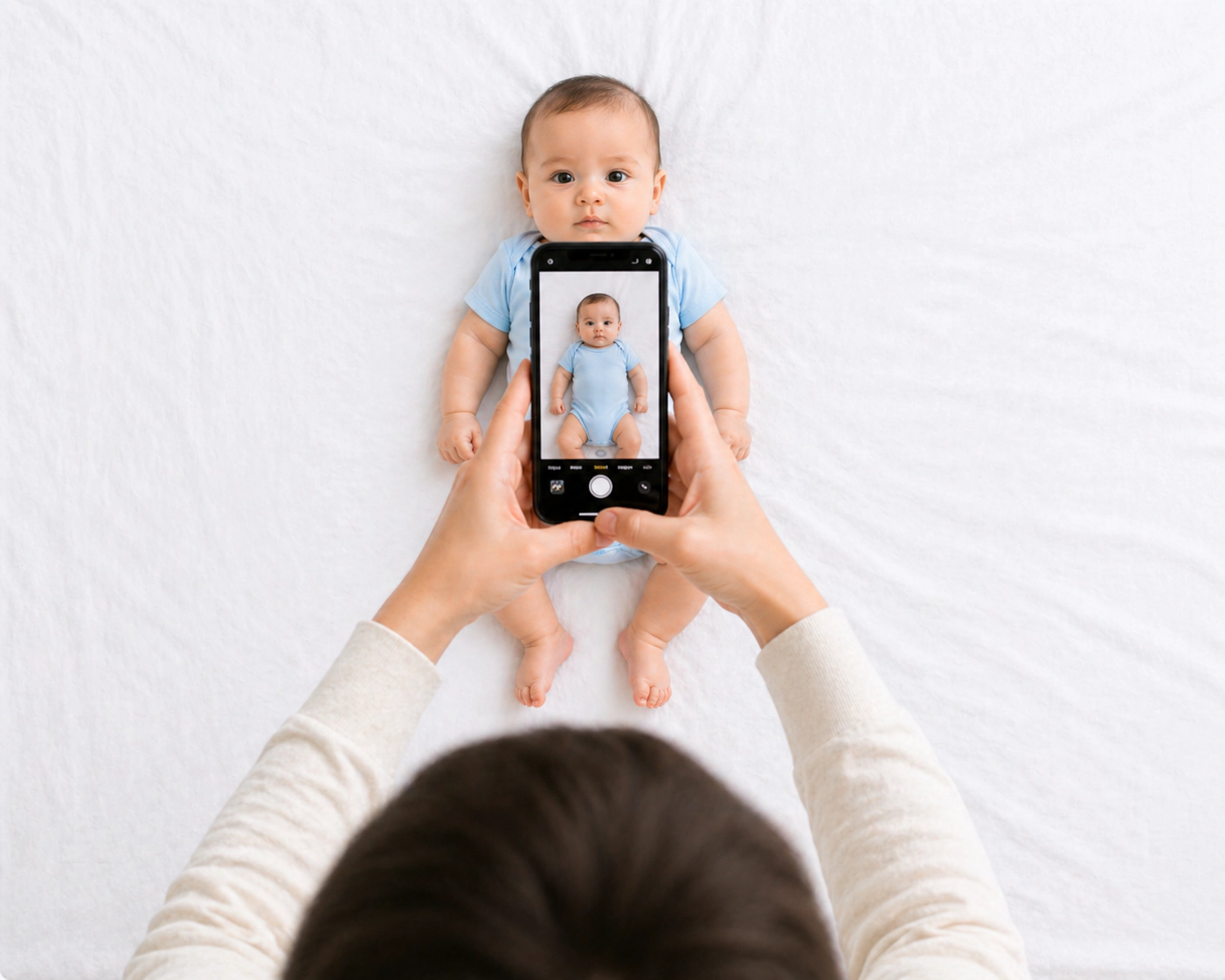
- Stand directly above your baby, ensuring your body does not cast a shadow across their face. Look straight down and snap the photo when they look up.
Method 2: The Draped Car Seat Technique (Best for Fussy or Squirmy Babies)
If your infant rolls over or fusses when lying flat, a car seat provides natural posture support:
- Drape a smooth white sheet or towel over the entire car seat, tucking it securely into the corners so no plastic or straps show.
- Seat your baby securely in the car seat against the white backing.
- Place the car seat on a sturdy table facing a bright window.
- Crouch down to eye level with your baby so the camera lens is perfectly perpendicular to their face.
Method 3: The Lap Support Technique (Best for 6+ Months)
For older babies and toddlers who can sit with gentle assistance:
- Have a parent drape a white sheet over their own torso and sit in a chair.
- Sit the baby on your lap facing forward toward the photographer.
- Place your hands under the sheet to steady the baby’s hips from behind, ensuring zero parent fingers appear in front of the sheet.
- The photographer stands 4–6 feet away at the baby’s exact eye level.
Step-by-Step Tutorial: How to Take Baby Passport Photo at Home
Follow this 6-step photographic protocol to achieve studio-grade photo quality that government immigration authorities accept on the first submission:
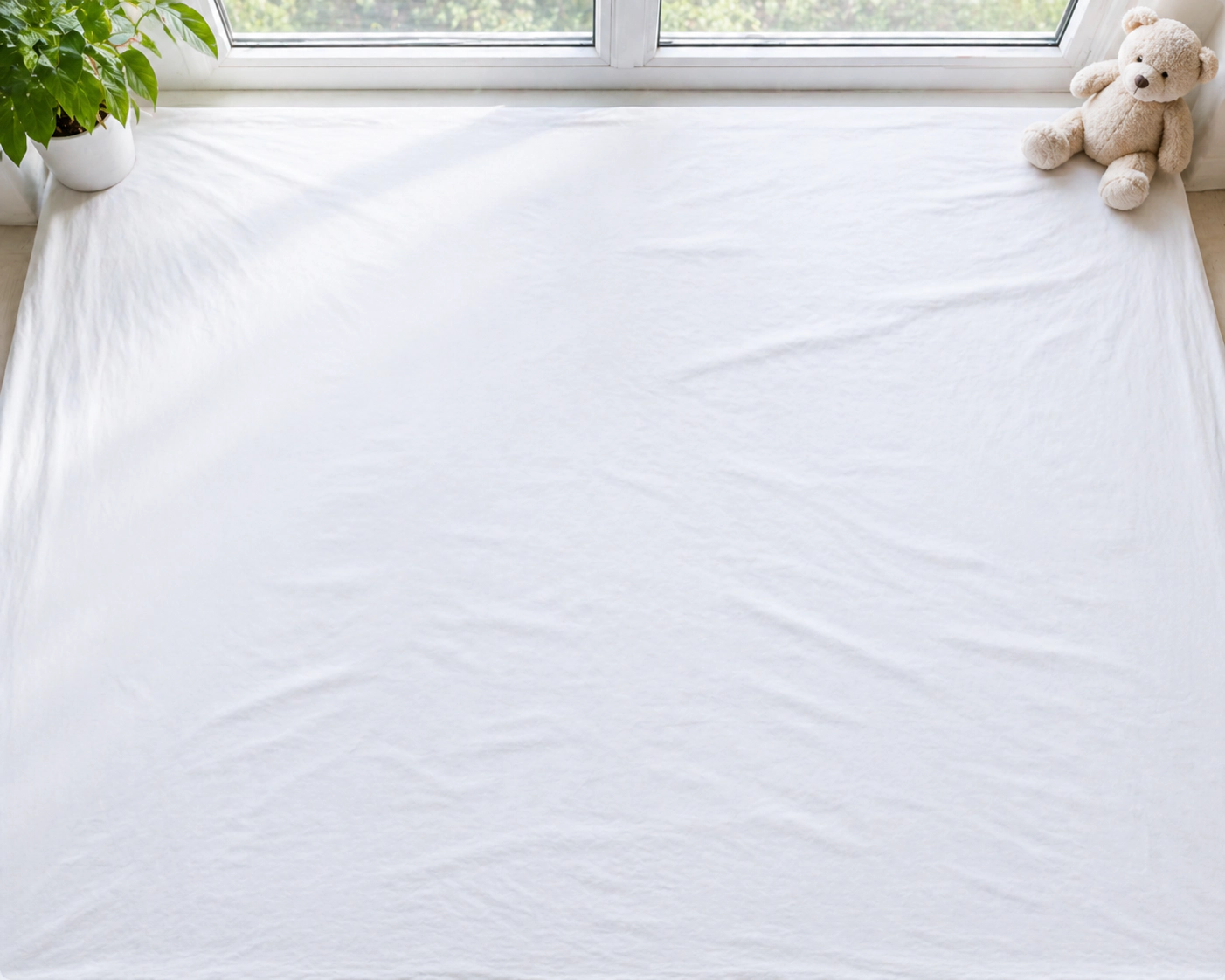
Prepare the Background and Lighting
Position your white sheet or blanket on a flat bed or floor near a window with abundant natural daylight. Avoid harsh overhead incandescent bulbs or camera flash, which create severe shadows and reflections on sensitive infant skin.
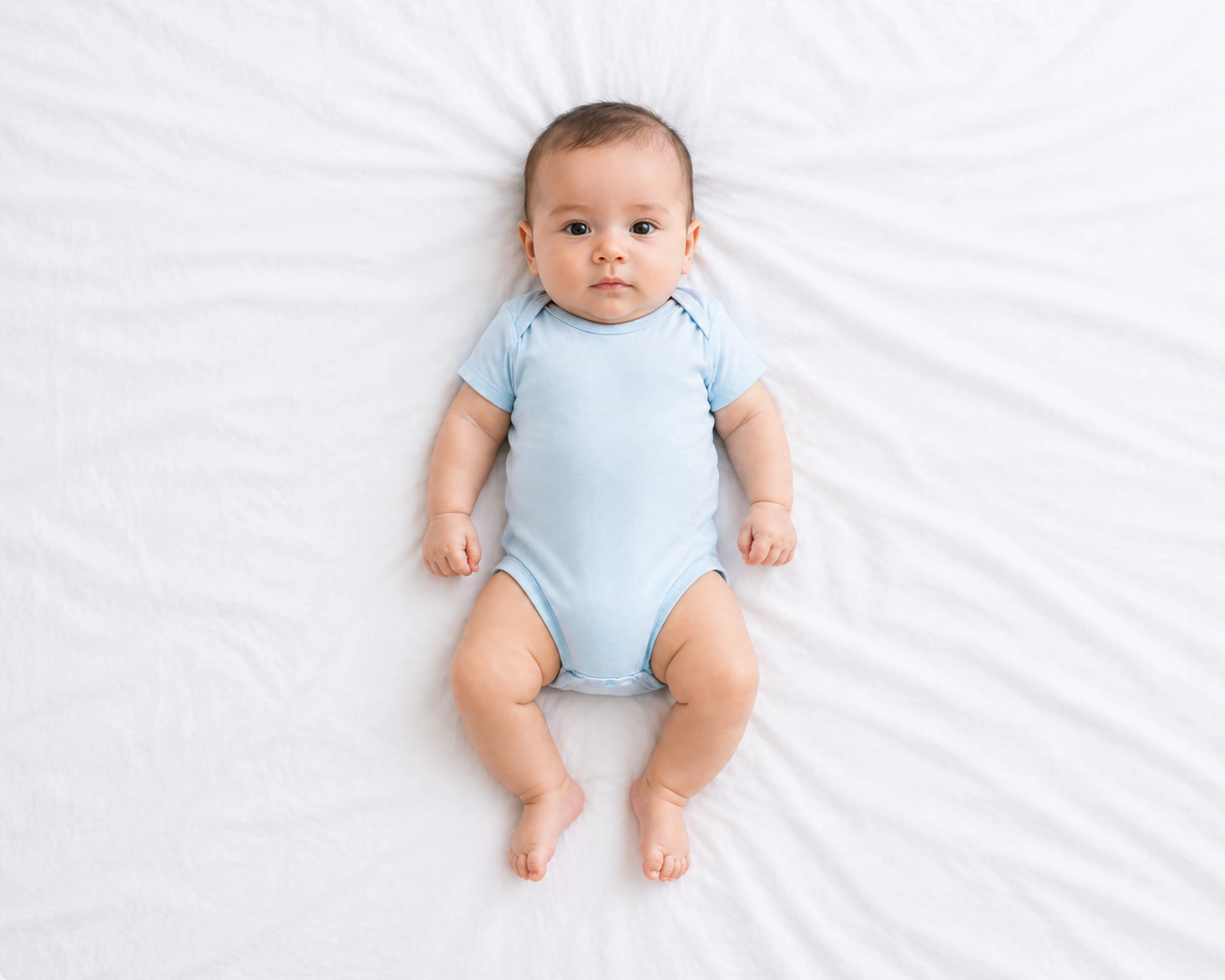
Position the Baby Flat and Centered
Lay your baby comfortably flat on their back. Make sure their head is centered and looking straight up, not tilted to either shoulder. Ensure no pillows, blankets, or parent hands support their head visibly in the frame.
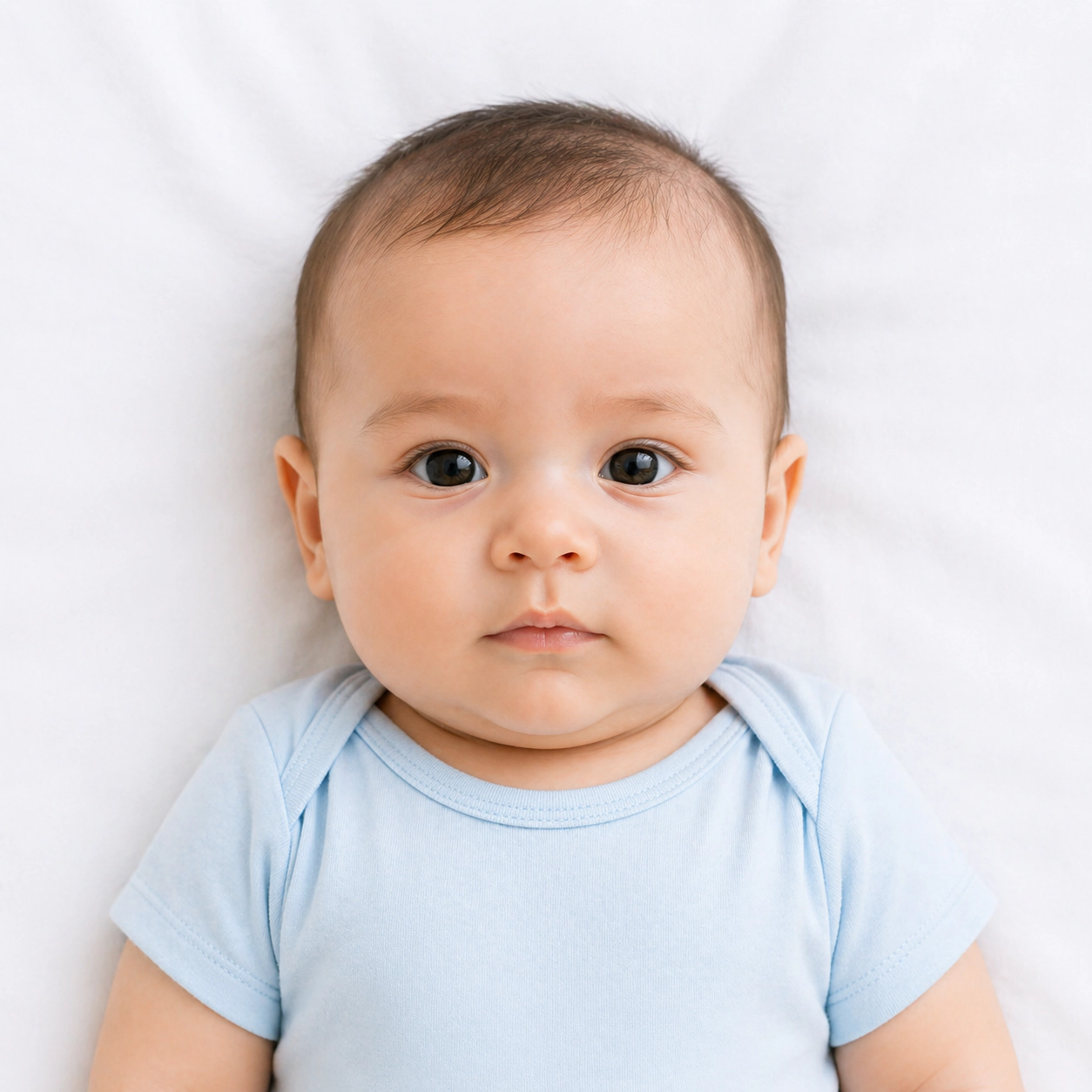
Capture Compliant Facial Expressions
Gentle sounds, singing, or holding a rattle directly behind the camera lens will encourage your baby to open their eyes and look forward. Relaxed facial expressions with a closed or slightly parted mouth are standard for child’s passport photos.
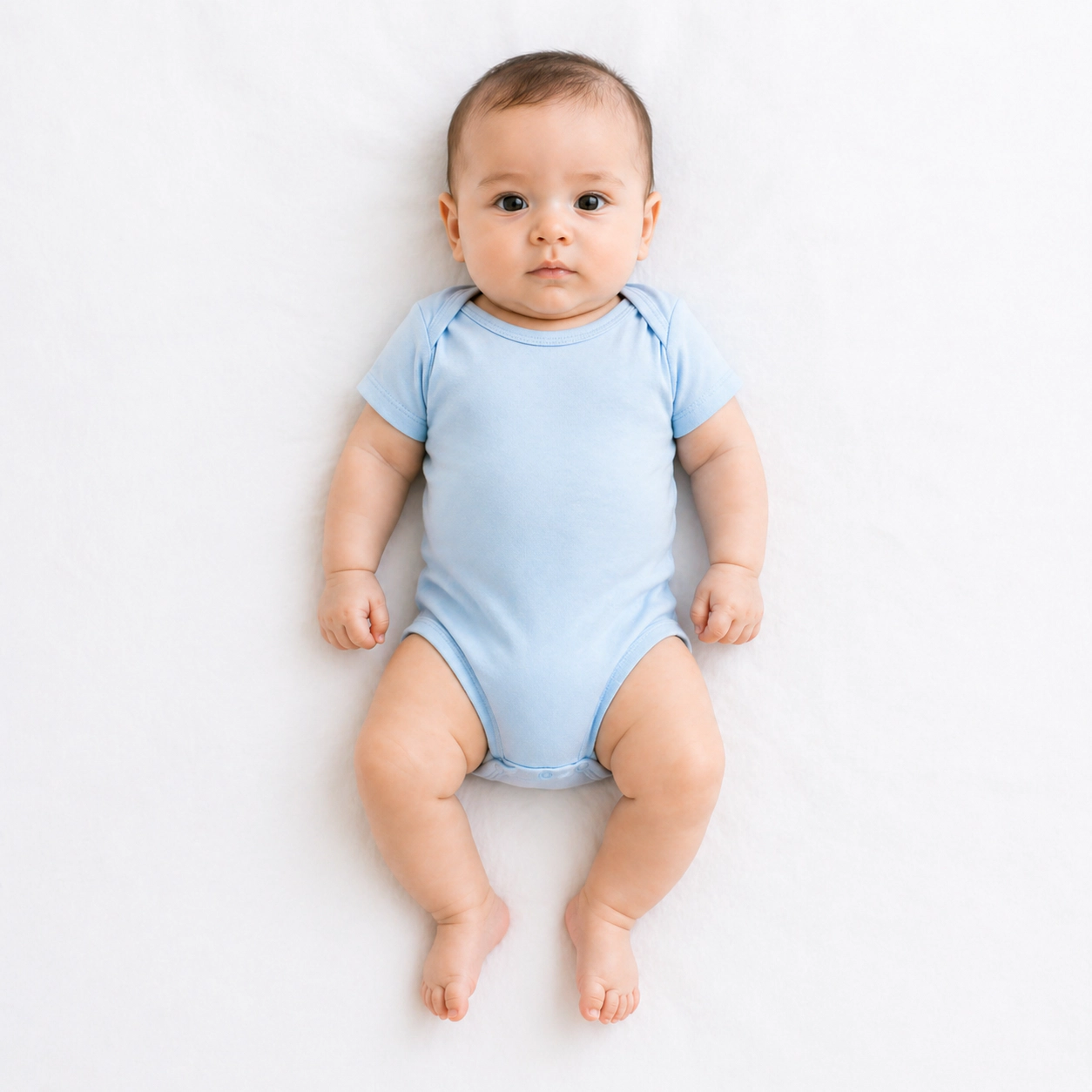
Choose Darker Contrasting Clothes
Never dress your infant in white or pastel beige clothes, as their shoulders will blend into the white background and fail biometric edge detection. Choose navy blue, dark red, or forest green. Remove all headbands, hats, bibs, and pacifiers.
Snap Using Smartphone Rear Camera
Stand 4 to 5 feet above your baby. Use your phone’s rear main lens (not the front-facing selfie camera) and switch to 2x zoom to prevent barrel distortion. Take a burst of 10 to 20 shots so you have multiple clear frames to choose from.
Upload to VisaReadyNow for Instant AI Verification
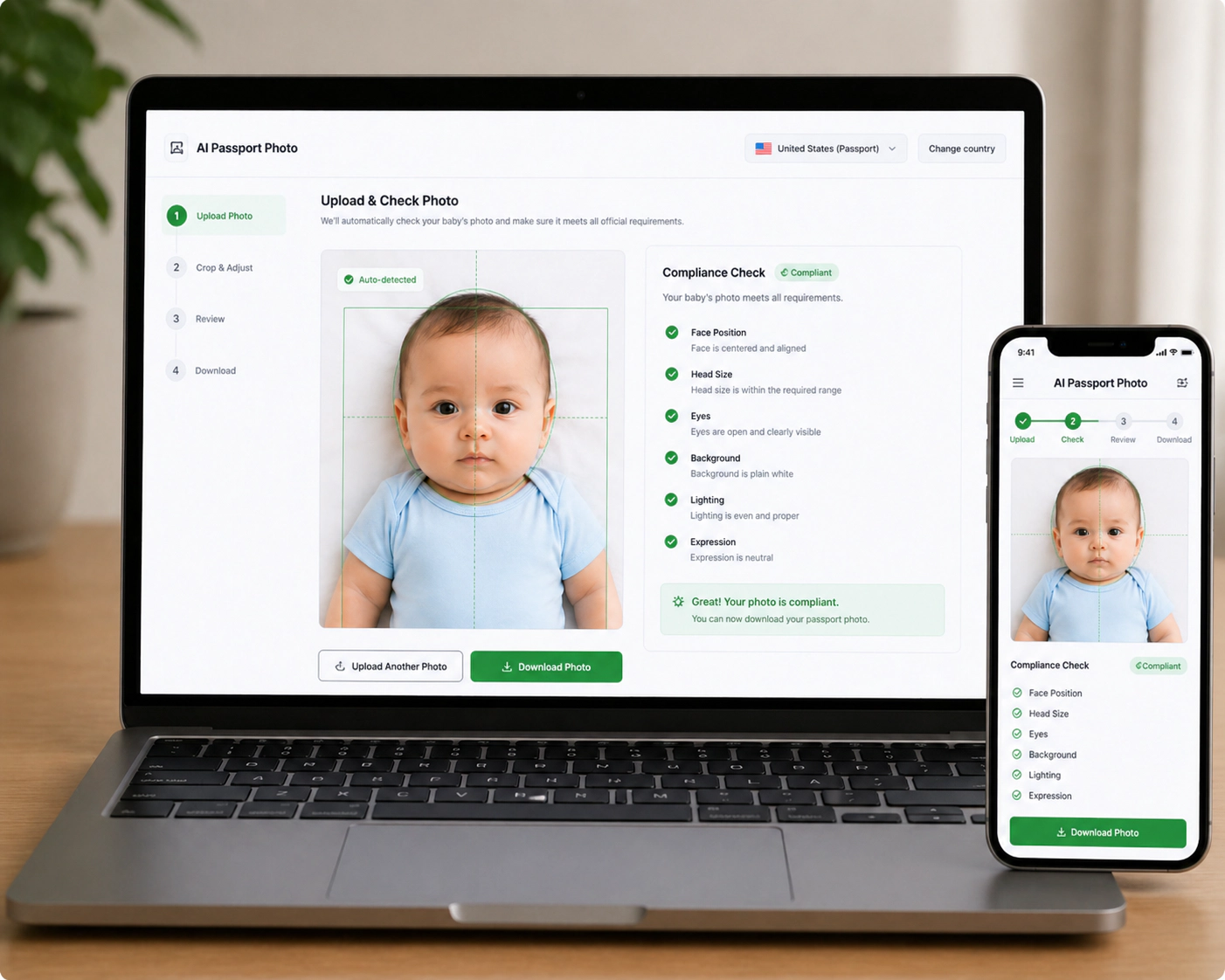
Upload your favorite photo into VisaReadyNow. Our AI algorithms instantly strip bedsheet wrinkles, center the baby’s face, calibrate the exact chin-to-crown ratio, and generate official digital files plus printable 4x6 templates.
Too complicated? Let our AI handle it.
Upload a selfie and our AI will automatically crop, size, and replace the background to validate against official government requirements.
Camera Settings for iPhone & Android to Ensure High Photo Quality
Modern smartphones capture exceptional image detail, but specific camera settings can make or break whether the government accepts your file:
Use 2x Optical Telephoto Zoom
The standard 1x wide lens on smartphones creates subtle barrel distortion when held close to an infant, making the nose appear enlarged and ears pushed back. Stepping back 4 feet and zooming to 2x or 3x optical maintains realistic facial proportions.
Disable Portrait Mode (Artificial Bokeh)
Never use Apple Portrait Mode or Samsung Live Focus. Passport scanners require the edges of the infant’s hair, ears, and shoulders to be in sharp, unblurred focus. Portrait mode algorithms often blur baby hair edges, causing rejection.
Turn Off Flash to Avoid Red-Eye and Hotspots
Direct smartphone flashes reflect brightly on baby skin, produce red-eye, and cast sharp black shadows behind the baby. Always rely on natural indirect window light.
Country Photo Dimensions for Infant Passport Applications
Ensure your photo matches the specific country guidelines for your infant’s citizenship:
| Country / Jurisdiction | Photo Dimensions | Background Color | Face Ratio (Crown to Chin) |
|---|---|---|---|
| United States (DS-11) | 2 × 2 inches (51 × 51 mm) | Solid White or Off-White | 50% – 69% of frame height (1 to 1 3/8 in) |
| United Kingdom (HMPO) | 35 × 45 mm | Light Grey or Cream | 29 mm – 34 mm (70% – 80%) |
| European Schengen Area | 35 × 45 mm | Plain Light Grey or White | 32 mm – 36 mm (ICAO Doc 9303) |
| Canada (IRCC) | 50 × 70 mm (2 × 2.75 in) | Plain White or Light Colored | 31 mm – 36 mm face height |
| Australia (Passports Act) | 35 × 45 mm | Plain White or Light Grey | 32 mm – 36 mm (strict shadow-free) |
| India (Passport Seva) | 35 × 45 mm | Pure White | 70% – 80% coverage |
How to Print Baby Passport Photos for $0.35 at Walgreens or CVS
Pharmacy chains like Walgreens and CVS charge $16.99 to $18.99 when you walk in and request passport photos. But there is a smart legal workaround:
- Upload your homemade baby picture to VisaReadyNow.
- Download the generated 4×6 inch printable template (which fits four 2×2 inch or six 35×45 mm photos).
- Open the Walgreens, CVS, or Walmart photo website or mobile app.
- Upload your 4×6 template as a standard 4×6 photo print (NOT as a passport service).
- Select same-day pickup. The cost is approximately $0.35 to $0.40.
- Pick up your print and carefully trim along the subtle cutting guidelines using scissors.
Frequently Asked Questions About Baby Passport Photos
How to take baby passport photo at home with an iPhone or phone camera?
To take a baby passport photo at home: lay your baby on their back on a plain white sheet, ensure natural daylight hits their face evenly from a nearby window (no harsh flash), stand directly over them, and use your phone’s rear camera at 2x zoom from 4–5 feet away. Snap multiple continuous shots when their eyes look directly forward, then upload the image to an AI tool to auto-crop to exact 2x2 inch (or 35x45 mm) specifications.
Do newborn babies need to have their eyes completely open?
For infants and newborns under 1 year old, major passport agencies (including the U.S. Department of State and UK HM Passport Office) allow slight leniency if the baby’s eyes are partially open or closed. However, government examiners strongly prefer eyes open whenever possible.
Are smiling or open-mouth facial expressions allowed for babies?
While adult passport applications require a strictly neutral expression and closed mouth, passport offices grant reasonable allowances for infants and young children. A relaxed expression with slightly parted lips is typically accepted, but crying, grimacing, or wide gaping mouths with tongues sticking out will cause rejection.
Can parents hold or support the baby in child’s passport photos?
No parent or caregiver hands, arms, fingers, or support pillows may be visible anywhere in child’s passport photos. If you need to support a young baby who cannot hold their head steady, place them in a car seat or baby carrier completely covered by a seamless white sheet, or lay them flat on their back on a white blanket on the floor.
Can babies wear headbands, hats, or pacifiers in passport photos?
No. Pacifiers, teething necklaces, hats, decorative headbands, hair bows, and sunglasses are strictly prohibited by passport authorities. Head coverings are only permitted for documented religious or medical reasons, and must not cast shadows over any part of the baby’s face.
How can I print my baby’s passport photo for under $0.50 at Walgreens or CVS?
Instead of paying $17.99 for in-store pharmacy passport photo services (where staff often struggle to position infants), create a 4x6 inch photo grid containing 4 to 6 passport photos using VisaReadyNow. Order it as a standard 4x6 print at Walgreens, CVS, or Walmart for approximately $0.35–$0.40, then cut out the photos with scissors.