Quick answer: US visa photo size requirement in 2026 is 2 × 2 inches (51 × 51 mm) with a face height of 1 to 1 3/8 inches (25–35 mm, 50–69%). For online submissions via the DS-160 (CEAC portal), submit a square digital JPEG file between 600 × 600 px and 1200 × 1200 px under 240 KB. Eyeglasses are strictly prohibited.
Official Compliance Guarantee
Our AI system validates your photo against official US Department of State & ICAO standards. Get 100% compliant photos or we'll help you fix it.
Make a compliant US visa photo now
Auto-crop to official 2 × 2 inch square size (600×600 px), convert background to plain white, check biometric face proportions (50–69%), and compress under 240 KB instantly.
Quick reference: US visa photo specifications
Before uploading your photo to the DS-160 online portal or bringing a printed copy to your embassy interview, confirm your photo adheres to all official US State Department rules.
| Specification | Requirement |
|---|---|
| Photo size | 2 inches × 2 inches (51 mm × 51 mm) — square format |
| Pixel resolution (online) | 600 × 600 px min up to 1200 × 1200 px max |
| Face height (chin to crown) | 1 to 1 3/8 inches (25–35 mm, or 50–69% of height) |
| Eye height from bottom | 1 1/8 to 1 3/8 inches (28–35 mm from bottom) |
| Digital format (DS-160 / CEAC) | JPEG (.jpg format, sRGB color space) |
| Digital file size limit | Maximum 240 KB (strict limit for CEAC portal) |
| Minimum DPI (print) | 300 DPI |
| Background | Plain white or off-white (shadow-free, no patterns) |
| Expression | Neutral expression, mouth closed, eyes looking at camera |
| Glasses | Strictly prohibited (no glasses allowed since 2016) |
| Recency | Taken within the last 6 months |
| Quantity (embassy interview) | 1 printed photo (bring to interview) |
| Retouching | Strictly prohibited (no digital alteration or filters) |
Official US visa photo dimensions & DS-160 requirements
The US Department of State requires a square 2 × 2 inch (51 × 51 mm) photo. For digital application submission on the DS-160 / CEAC portal, the photo must be between 600 × 600 pixels and 1200 × 1200 pixels. Crucially, the digital JPEG file size must not exceed 240 KB.
Important Note on DS-160 File Size
The CEAC website strictly rejects photo uploads over 240 KB. Raw smartphone photos usually range from 2 MB to 8 MB. You must compress the image to under 240 KB while keeping pixel resolution at 600×600 px or higher.
US visa photo size in mm, cm, inches, and pixels
| Unit | Width | Height | Head ratio |
|---|---|---|---|
| Inches (official print) | 2.0 in | 2.0 in | 1.0–1.375 in (50–69%) |
| Millimetres (mm) | 51 mm | 51 mm | 25–35 mm (50–69%) |
| Centimetres (cm) | 5.1 cm | 5.1 cm | 2.5–3.5 cm (50–69%) |
| Pixels (min digital) | 600 px | 600 px | 300–414 px |
| Pixels (max digital) | 1200 px | 1200 px | 600–828 px |
Too complicated? Let our AI handle it.
Upload a selfie and our AI will automatically crop, size, and replace the background to validate against official government requirements.
Print vs. digital: what changes between DS-160 upload and embassy interview?
When filling out the online DS-160 visa form, you must upload a single digital JPEG photo. In addition, almost all US embassies and consulates require you to bring 1 physical printed 2×2 inch photo to your visa appointment.
| Aspect | Print (embassy interview) | Digital (DS-160 / CEAC) |
|---|---|---|
| Dimensions | 2 × 2 inches (51 × 51 mm) — square | 600 × 600 px min up to 1200 × 1200 px |
| Format | Color print on photo paper | JPEG (.jpg format, sRGB) |
| File size limit | N/A | Maximum 240 KB (strict limit) |
| Quantity | 1 printed photo for embassy interview | 1 digital file upload via CEAC DS-160 |
| Paper type | Glossy or matte photo paper | N/A |
| Background | Plain white or off-white, shadow-free | Plain white or off-white, shadow-free |
Background requirements for US visa photos
The background must be plain white or off-white. It must be clean, flat, and uniform in color, with no shadows on your face or behind your head.
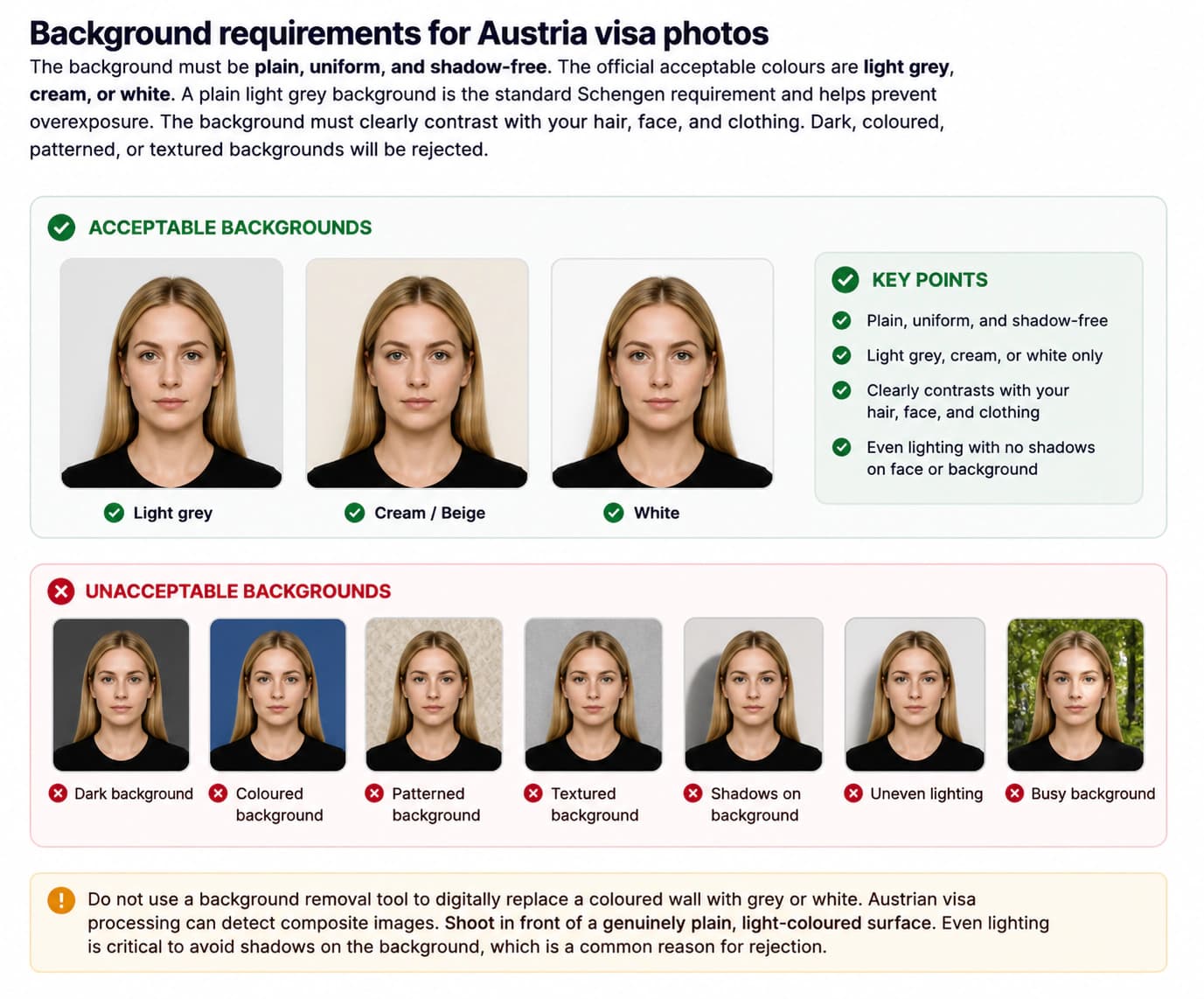
Avoid patterned wallpaper, textures, or visible objects. Stand approximately 2 feet away from the wall to prevent shadows.
Face position, expression, and lighting requirements
Your face must directly front the camera. Both eyes must be open and clearly visible. Maintain a neutral expression with your mouth closed. A slight natural, unexaggerated expression is acceptable, but a neutral expression is safest for automated biometric scans.
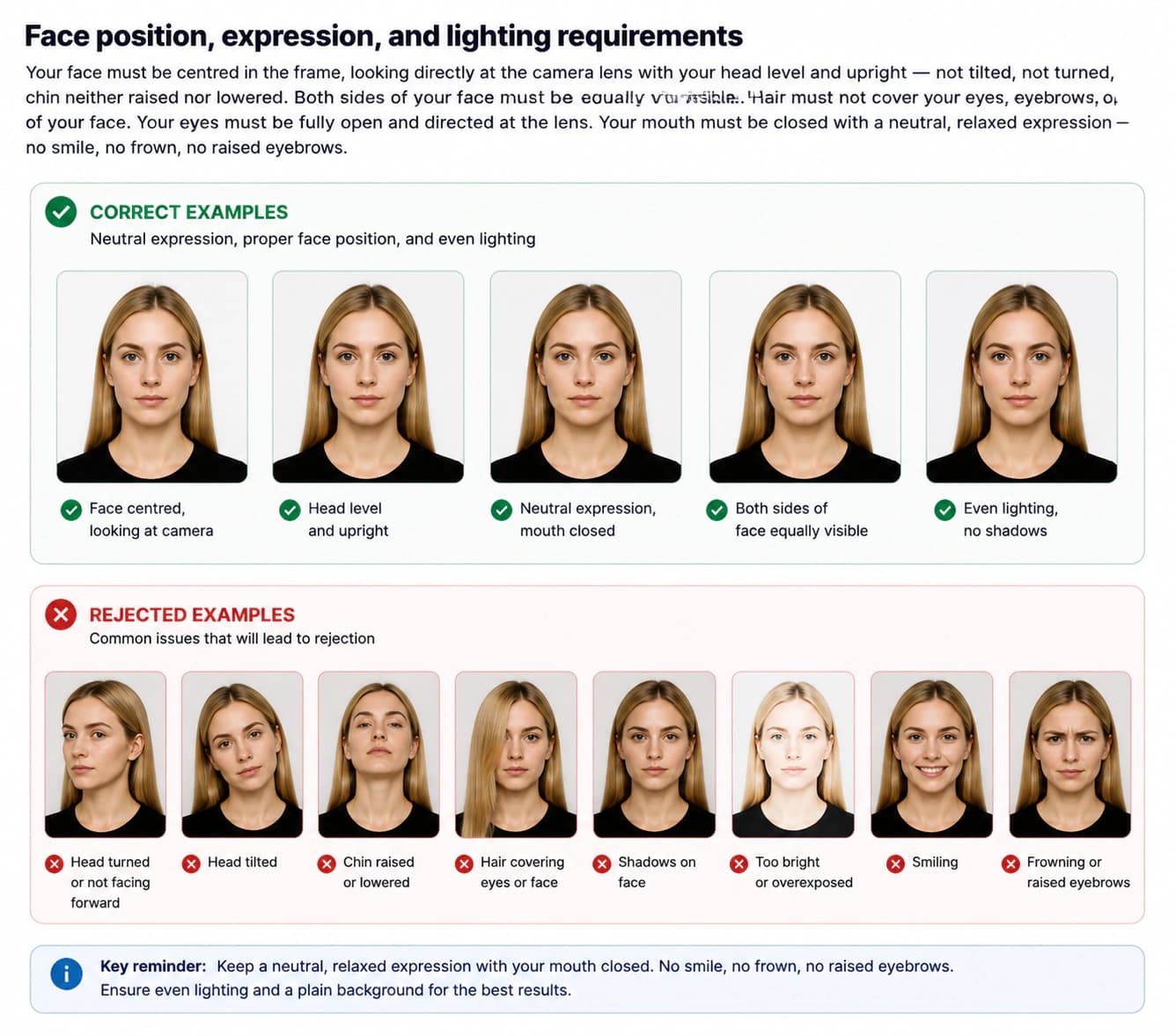
Lighting should illuminate both sides of the face equally without glare or harsh highlights on the skin or forehead.
Glasses policy: strictly prohibited since 2016
No eyeglasses are allowed in US visa photos. In November 2016, the US Department of State banned glasses in all visa and passport photos to prevent glare and frame shadows that interfere with facial recognition algorithms.
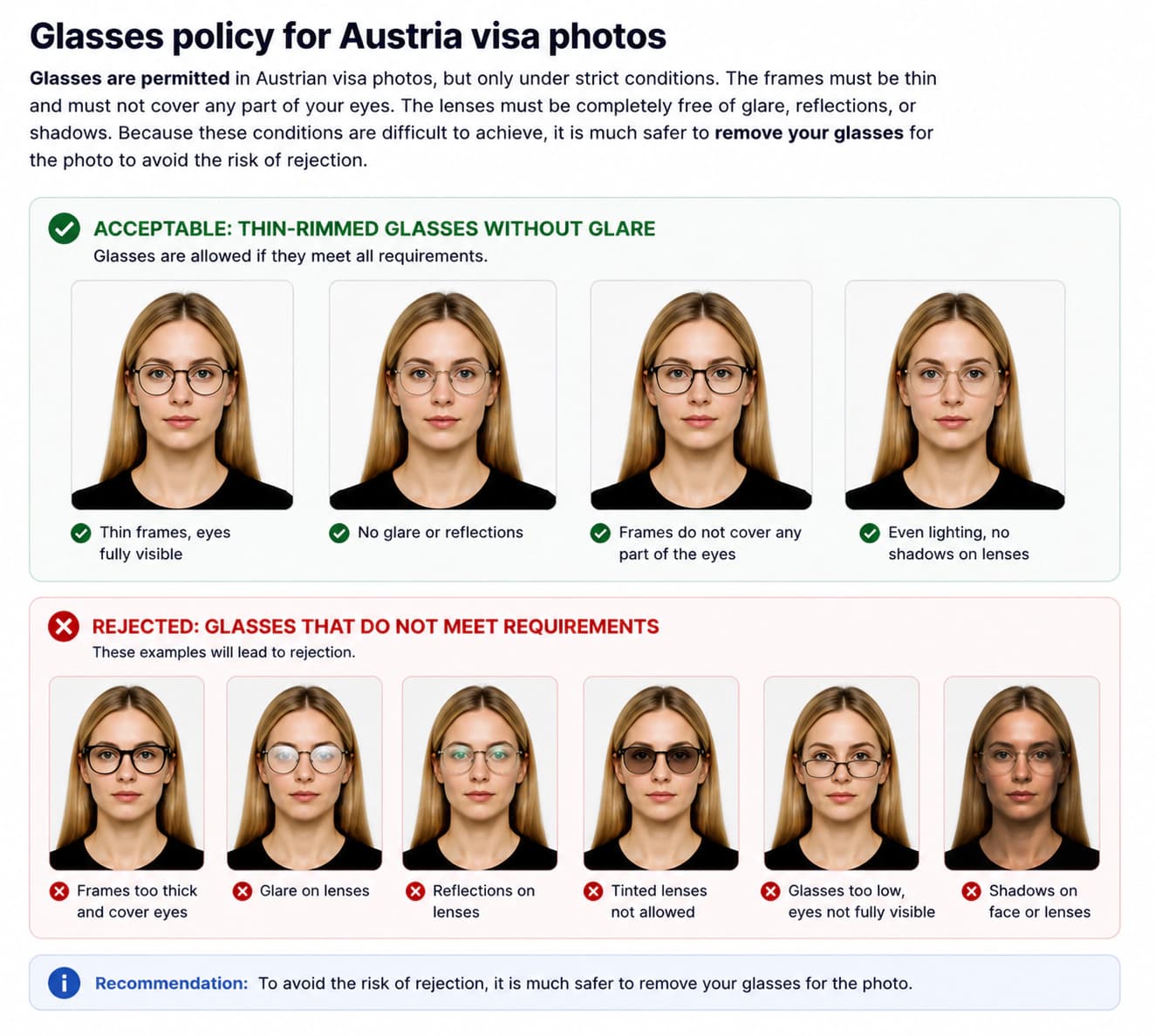
The only rare exception is if eyeglasses cannot be removed due to a medical condition (such as recent eye surgery), requiring a signed medical statement from a physician.
US visa photo checklist: do's and don'ts
Ensure your photo follows every check item before submitting your DS-160 online application.
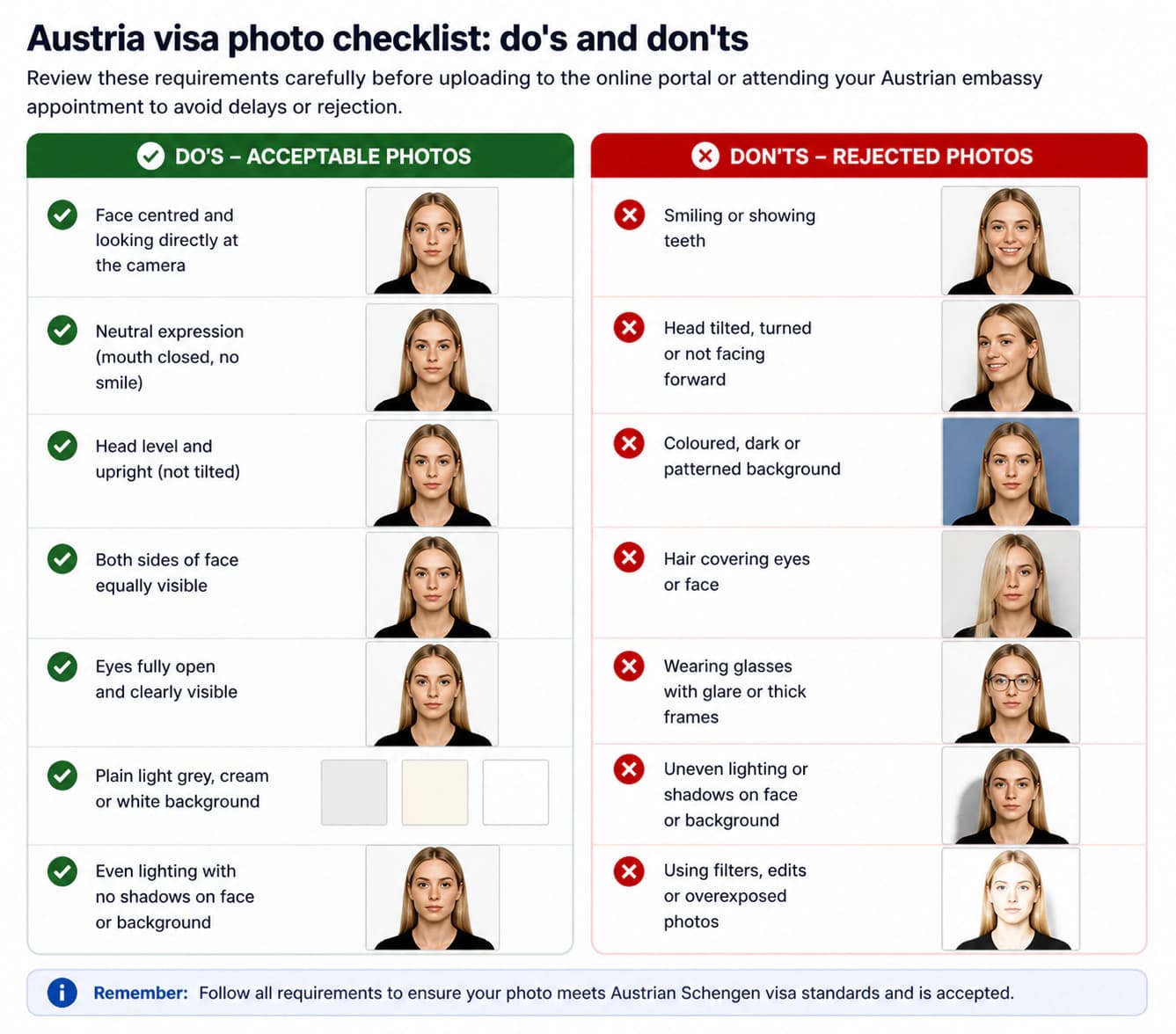
Do
- Use a plain white or off-white background free of shadows, patterns, or textures
- Ensure your face is centred, forward-facing, and occupies 50–69% of the total frame height
- Keep your eyes fully open and looking directly at the camera lens
- Maintain a neutral expression with your mouth completely closed
- Remove all eyeglasses before taking the photo (prohibited since 2016)
- Use balanced, diffused lighting with no shadows on face or background
- Upload a JPEG file under 240 KB with dimensions between 600×600 px and 1200×1200 px
- Ensure your photo was taken within the last 6 months
- Wear normal everyday clothing that contrasts clearly with the white background
- Ensure hair does not obscure your eyes, eyebrows, or face outline
Don't
- Wear glasses — eyeglasses have been strictly banned for US visa photos since 2016
- Smile, frown, tilt your head, or allow your mouth to be open
- Use a background that is dark, patterned, textured, or heavily shadowed
- Retouch skin, remove blemishes, or apply Instagram/TikTok filters
- Upload a file larger than 240 KB to the DS-160/CEAC online portal
- Submit a scanned photo or a photo of a physical photograph
- Wear hats, caps, or fashion headwear (religious head coverings allowed if face is clear)
- Wear uniforms or clothing resembling military or official uniforms
- Use a photo older than 6 months or one that does not reflect your current appearance
- Upload low-resolution photos under 600 × 600 pixels
How to take a correct US visa photo at home (step-by-step)
Following these six steps will produce a photo that meets US State Department requirements.
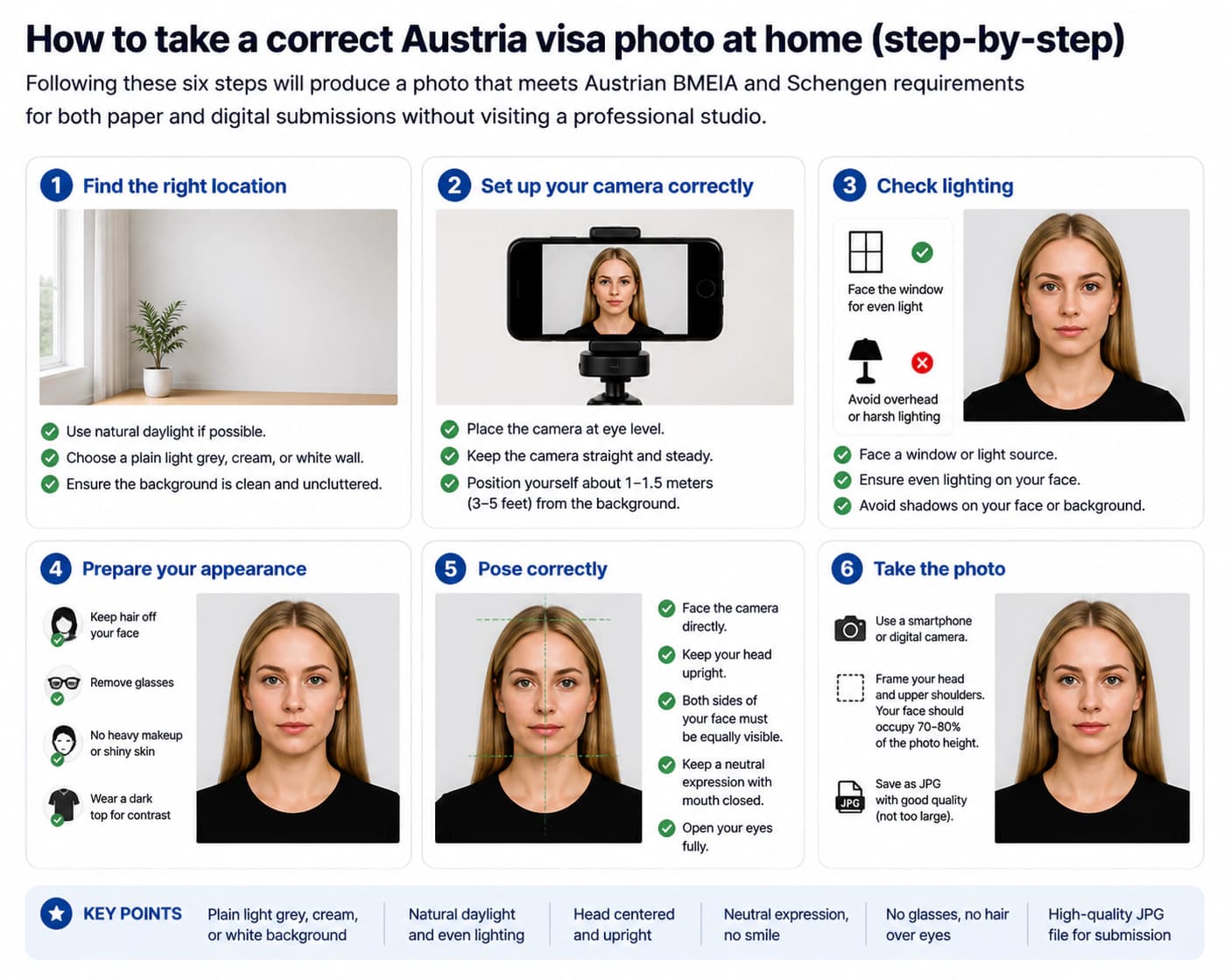
Set up a plain white or off-white wall
Stand or sit 1.5 to 2 feet in front of a smooth, plain white or off-white wall. Ensure there are no wall textures, pictures, or objects behind you. Standing slightly forward prevents casting harsh shadows onto the wall.
Position lighting evenly across your face
Use natural light from a window facing you, or place two soft artificial light sources at 45-degree angles. Avoid top lighting that creates dark eye shadows, and turn off your camera flash to prevent red-eye and hot spots.
Remove glasses and adjust head posture
Remove all eyeglasses — glasses are strictly banned for US visas. Keep your head straight, shoulders relaxed, looking directly at the camera lens at eye level. Both ears and the full outline of your face must be visible.
Maintain a neutral facial expression
Keep both eyes open and mouth completely closed. Relax your forehead and cheeks for a calm, neutral facial expression. Avoid smiling, smirking, or frowning.
Take photo and crop to 2×2 inches (600×600 px)
Have someone take the photo from 4–6 feet away using high resolution. Crop the photo into a 1:1 square ratio, ensuring face height (chin to crown) takes up 50–69% of the height (25–35 mm).
Compress to under 240 KB JPEG format
Export the image in JPEG format with sRGB color profile. Ensure the final file size is strictly under 240 KB while maintaining a resolution between 600×600 and 1200×1200 pixels before uploading to DS-160.
Common US visa photo rejection reasons in 2026
DS-160 automated photo checks flag and reject non-compliant uploads.
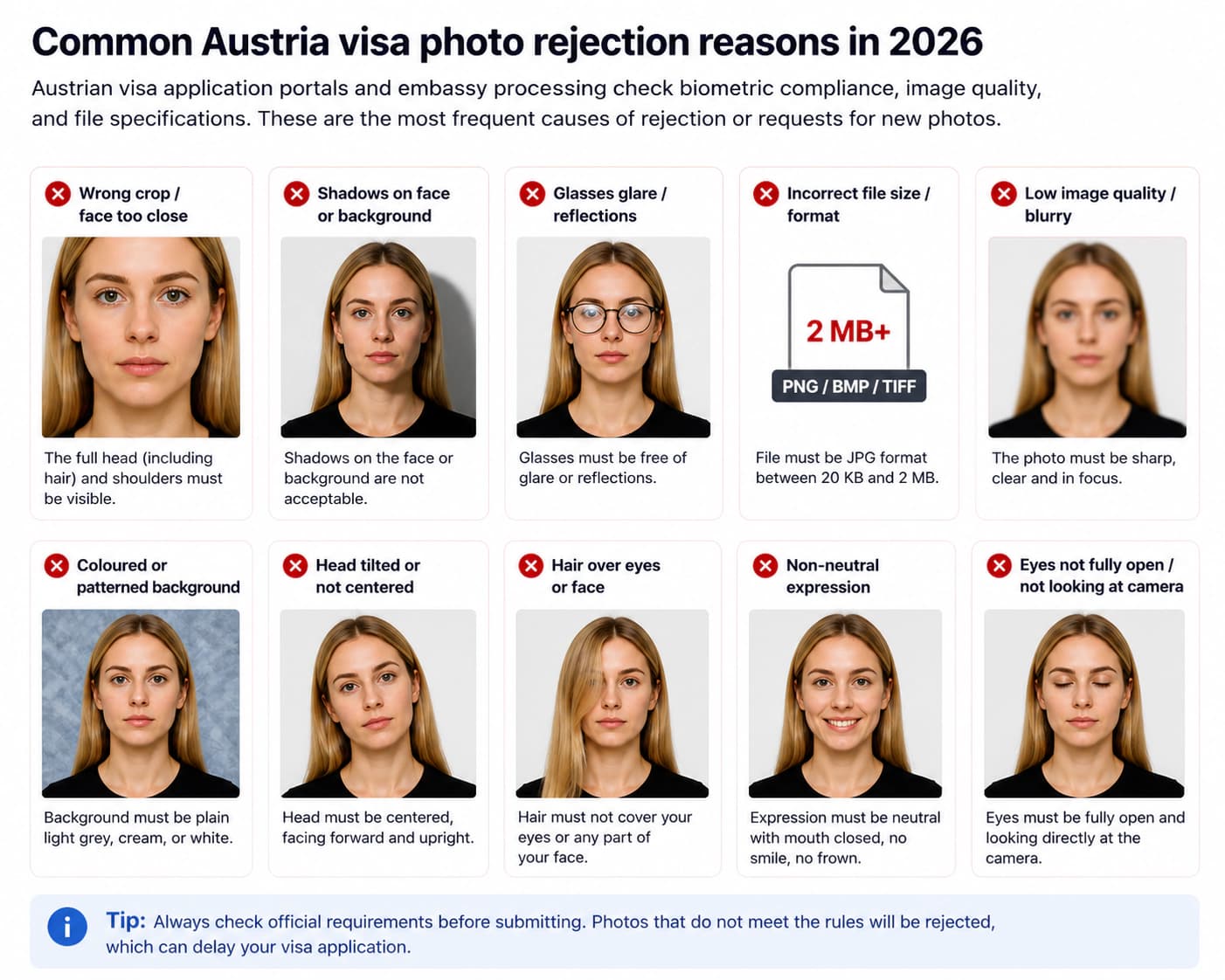
File size exceeds 240 KB
The CEAC portal for DS-160 visa applications enforces a strict 240 KB maximum file size. Uploading an uncompressed smartphone photo (usually 2–5 MB) will cause immediate upload failure.
Eyeglasses in the photo
Since 2016, the US Department of State strictly prohibits eyeglasses in visa and passport photos. Photos with glasses are automatically rejected by biometric software unless accompanied by a certified medical emergency waiver.
Incorrect image resolution (not 600×600 px)
Digital US visa photos must be square with a minimum resolution of 600 × 600 pixels and a maximum of 1200 × 1200 pixels. Non-square aspect ratios or low resolutions are rejected.
Face proportion outside 50–69% range
Your head height from chin to crown must account for 50% to 69% of the frame (1 to 1.375 inches). If your face is zoomed too close or too far away, automated validation will flag it.
Non-white background or background shadows
Backgrounds must be plain white or off-white. Shadows behind the head, uneven wall color, patterns, or grey tones cause automated processing failures.
Smiling or non-neutral facial expression
Open-mouth smiles, exaggerated expressions, tilted heads, or squinting eyes break biometric facial recognition standards and lead to rejection.
Photo older than 6 months
Photos must accurately represent your current appearance. Consular officers match application photos with previous travel records or passports.
Hair or clothing obscuring facial features
Hair covering eyebrows or eyes, heavy scarves, or high collars hiding the jawline interfere with facial mapping and trigger rejections.
US visa photo requirements for babies and children
Children of all ages must have their own separate visa photo. For infants, lay them flat on a plain white sheet or place them in a car seat covered with a white sheet, photographing from directly above.
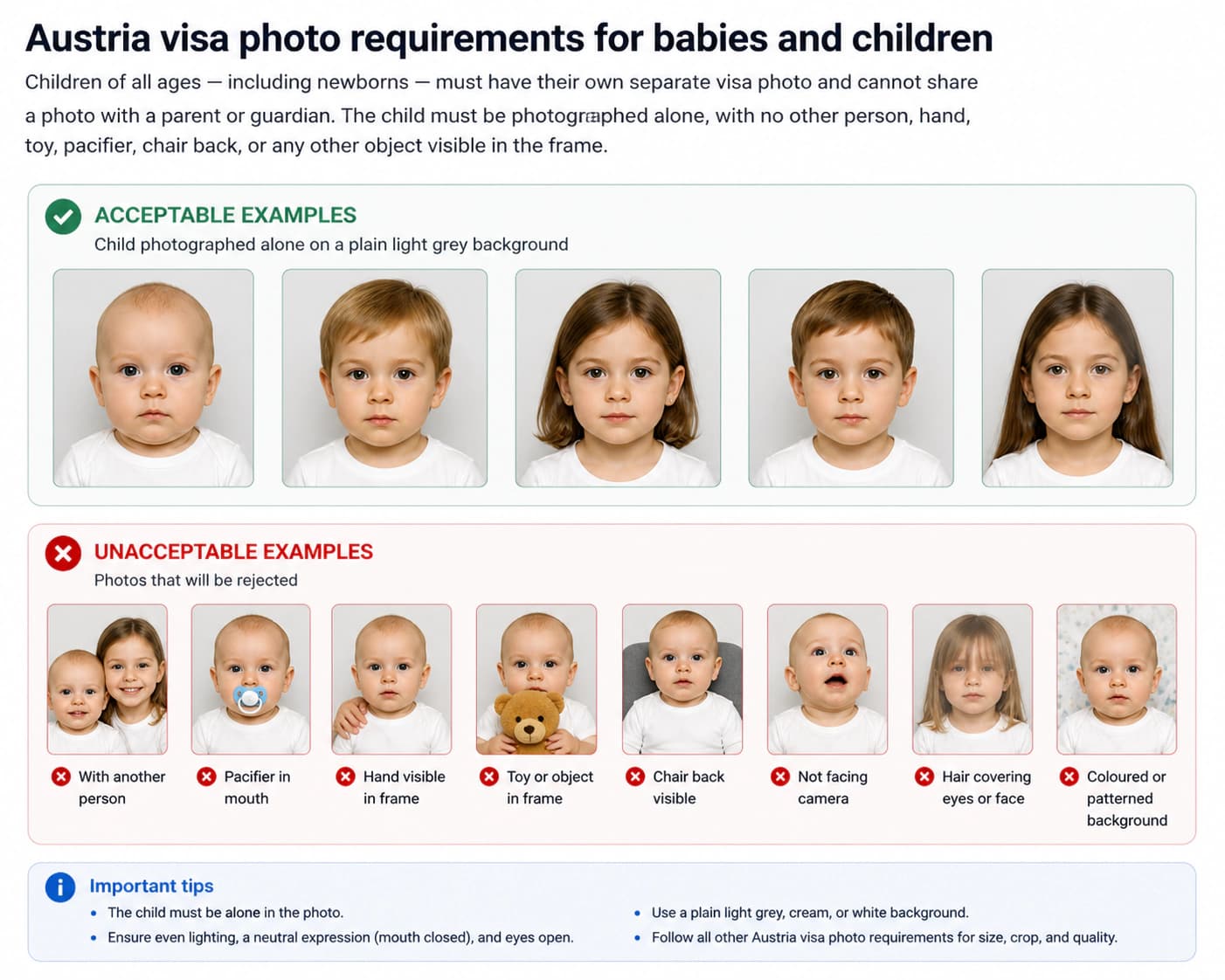
For children, all standard requirements apply: mouth closed, eyes open, neutral expression, plain white/off-white background.
Religious head coverings in US visa photos
Religious head coverings are permitted provided they are worn daily for religious reasons and your full face remains clearly visible from chin to top of forehead.
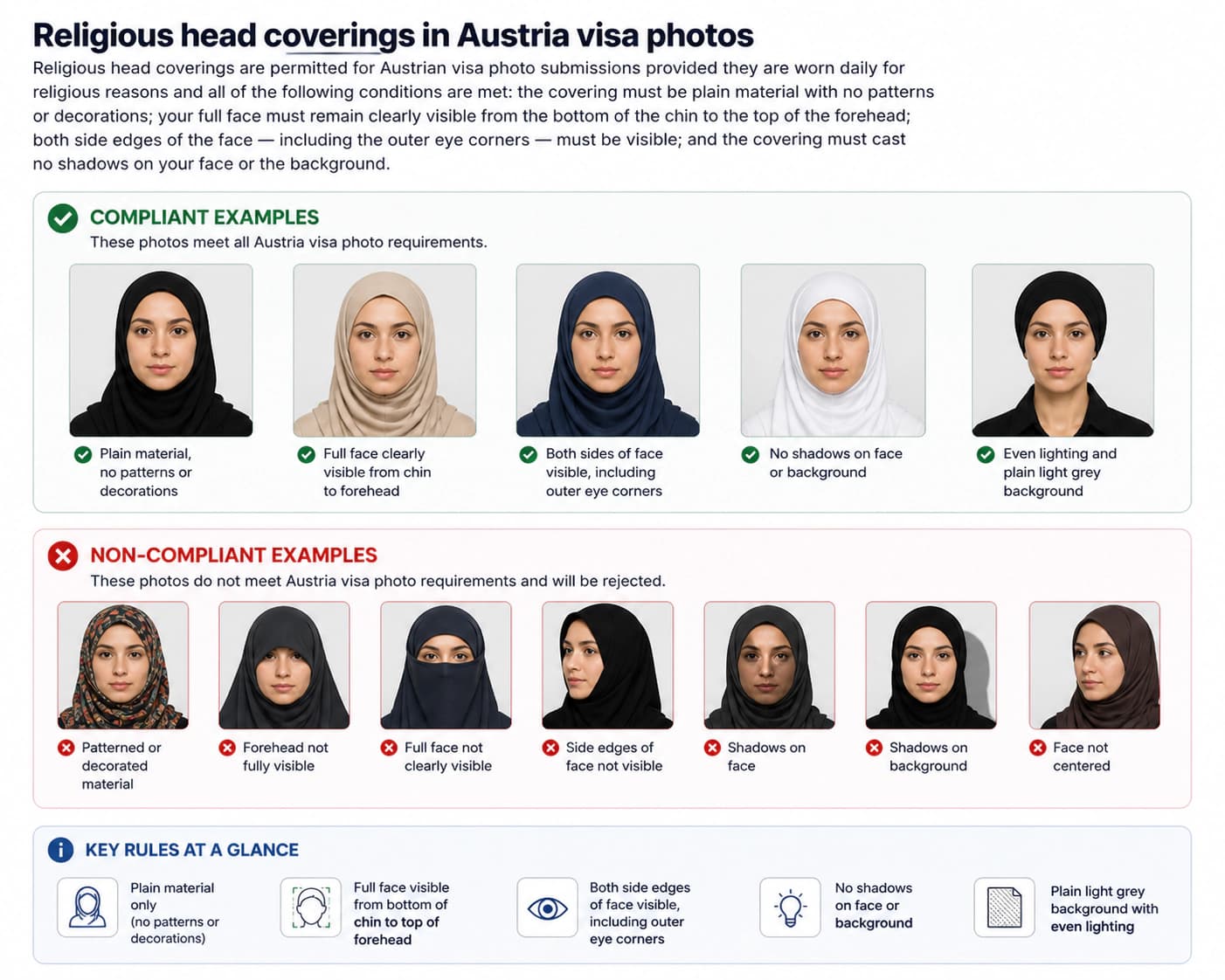
Fashion hats, caps, and decorative headwear are strictly prohibited.
Official sources
Frequently asked questions: US visa photo 2026
What is the US visa photo size requirement in 2026?
The official US visa photo size is 2 × 2 inches (51 × 51 mm) for printed photos. For digital upload on the DS-160 (CEAC portal), the image must be a square JPEG file between 600 × 600 pixels and 1200 × 1200 pixels, with a maximum file size of 240 KB.
What is the file size limit for DS-160 photo upload?
The US Department of State CEAC portal requires digital visa photos to be no larger than 240 KB. If your JPEG file exceeds 240 KB, the portal will reject the upload. Use our free tool to automatically compress your photo under 240 KB while preserving 600×600 pixel clarity.
What is the US visa photo size in pixels?
The digital US visa photo must be square with minimum dimensions of 600 × 600 pixels and maximum dimensions of 1200 × 1200 pixels. The aspect ratio must be exactly 1:1.
Can I wear glasses in a US visa photo?
No. As of November 2016, eyeglasses are strictly prohibited in US visa and passport photos. You must remove your glasses before taking the photo. The only exception is rare medical emergencies supported by a signed doctor statement.
What color must the background be for a US visa photo?
The background must be plain white or off-white. It must be completely uniform, free of shadows, textures, patterns, or reflections.
Can I smile in my US visa photo?
You must maintain a neutral facial expression with your mouth closed and eyes looking directly at the camera. Exaggerated smiles or open-mouth expressions are not accepted.
What is the face size proportion requirement for a US visa photo?
Your head height (from the bottom of the chin to the top of your hair) must occupy between 50% and 69% of the total image height. That corresponds to 1 to 1 3/8 inches (25 mm to 35 mm) on a 2×2 inch photo.
Can I take a US visa photo with my smartphone?
Yes! You can take a selfie or ask someone to take a photo using your phone camera in good lighting against a plain wall. Then use our AI photo maker tool to crop it to 600×600 px, adjust lighting, and compress it under 240 KB.
Are headscarves or religious head coverings allowed?
Yes, head coverings worn daily for religious purposes are permitted. However, your full facial outline from the tip of the chin to the top of your forehead and both cheek edges must be completely visible without shadows.
Can I wear makeup or jewellery in a US visa photo?
Natural daily makeup is fine. Avoid heavy glossy makeup that causes facial glare. Small subtle jewellery is allowed as long as it does not cover any part of your face or reflect light.
How recent must my US visa photo be?
The photo must have been taken within the last 6 months to reflect your current physical appearance.
Is the US visa photo size different from UK passport photo dimensions?
Yes! A UK passport photo (or united kingdom passport photo) requires British passport size photo dimensions of 35 × 45 mm (or dimensions passport photo uk format). In contrast, US visa photos are square 2 × 2 inches (51 × 51 mm). You cannot use a UK passport photo for a US visa application.
What should I wear for a US visa photo?
Wear normal, everyday clothing. Avoid white tops that blend into the white background. Uniforms, military attire, or camouflage clothing are not allowed.
How do I take a US visa photo for a baby or child?
Lay the baby flat on a plain white sheet or place them in a car seat covered with a white sheet. Ensure no hands or parents are visible in the frame, and the baby's eyes are open looking towards the camera.
Can I edit or retouch my US visa photo with Photoshop or AI filters?
No. Digital alterations such as smoothing skin, removing spots or scars, altering hair color, or adding artificial backgrounds are strictly prohibited and will cause visa rejection.
How many printed photos do I need to bring to the US embassy interview?
You should bring 1 printed physical photo (2 × 2 inches) on high-quality photo paper to your embassy or consulate visa interview, even if you uploaded a digital photo during DS-160 submission.
What is the difference between a visa photo and a passport photo?
While both require biometric standards, dimensions vary by country. US passport and visa photos are identical 2x2 inch (51x51 mm) square format. However, European Schengen, UK, and Canadian visa photos require 35x45 mm rectangle dimensions. Always match your photo to the exact destination authority.
Can international applicants (China, Russia, Brazil, Korea) use VisaReadyNow for US Visa Renewal & Green Card Check?
Yes. Whether you are searching for Green Card Photo Check (проверить грин карту / фото на грин карту), US B1/B2 Renewal (美国旅游签证续签 / 美 签 续签), Brazilian Visto Americano (qual tamanho da foto para visto americano), or Korean US Photo (미국 여권사진), VisaReadyNow automatically converts any image to official 2x2 inch 600x600 px DS-160 standards.
Ready to prepare your US visa photo?
Upload your photo and our tool will automatically crop to official 2 × 2 inch square (600×600 px), convert background to plain white, check biometric face proportions (50–69%), and compress under 240 KB — ready to upload to the DS-160 portal.
Check My Photo Now