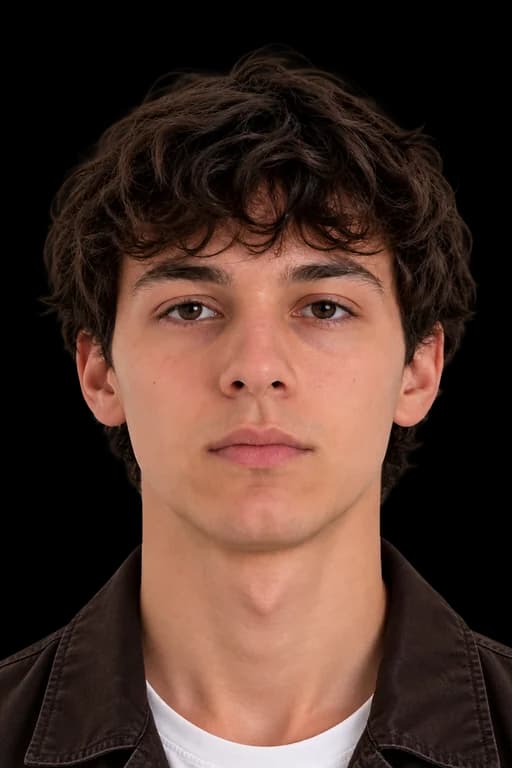
ISRAEL VISA PHOTO REQUIREMENTS AT A GLANCE
Follow these key rules to make sure your photo is accepted.
DIMENSIONS
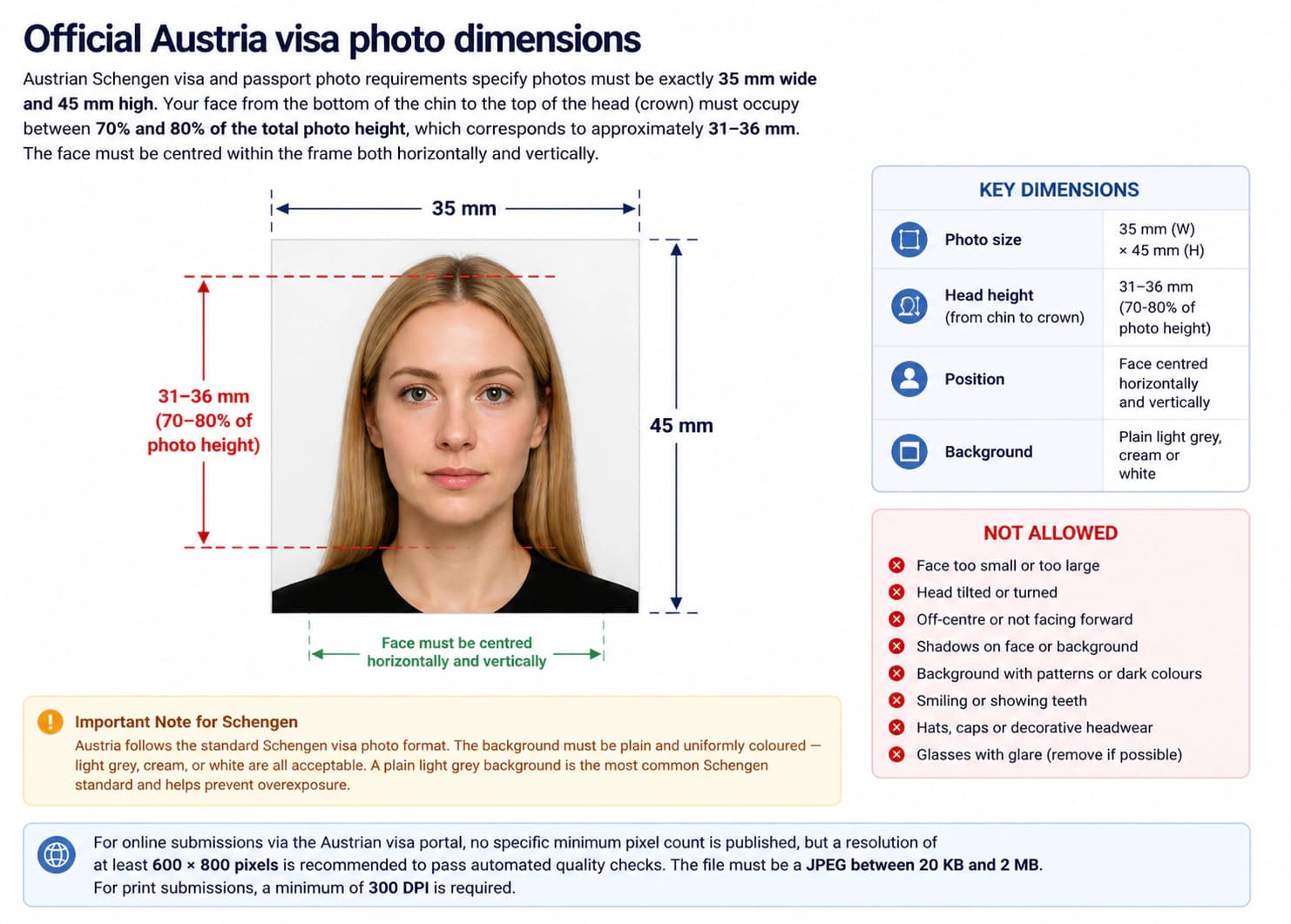
Photo size: 50 × 50 mm
Head size: 35 – 40 mm
FACE POSITION & SIZE
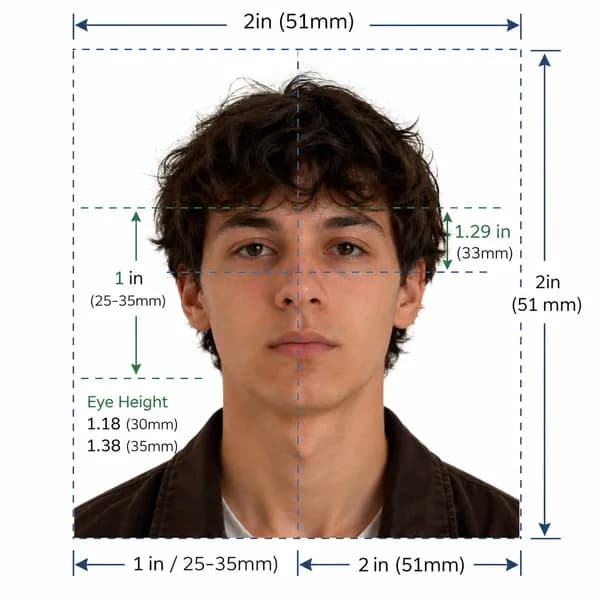
Keep your head centered with even space around.
BACKGROUND
Important Note
Israel visa photos must be taken within the last 6 months. Ensure a plain white background, glasses not permitted, and exact 50 × 50 mm sizing.
Official Compliance Guarantee
Our AI system validates your photo against official Israeli Ministry of Foreign Affairs and ICAO standards. Get 100% compliant photos or we'll help you fix it.
Israel Official Photo Specifications
Entry into Israel Law 5712-1952 & Israeli Consular Photographic Regulations (embassies.gov.il)
Official government rule for application approvalMinistry of Foreign Affairs (MFA) — משרד החוץ / Israeli Consular Missions
Application context: Israel Visa Applications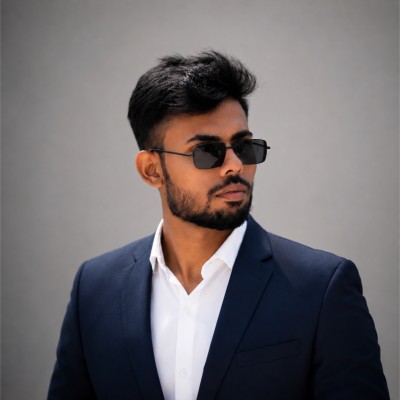
Quick reference: Israel visa photo specifications
Review all official photo specifications required by Israel embassies, consulates, and visa application centres worldwide.
| Specification | Requirement |
|---|---|
| Photo size (Paper) | 50 × 50 mm (1.97 × 1.97 in) |
| Digital resolution | 600 × 600 px @ 300 DPI |
| Face height | 35 – 40 mm (70–80% of total height) |
| File format & size | JPEG, 50 KB – 2 MB |
| Background colour | White |
| Expression | Neutral expression, mouth closed, eyes open |
| Glasses policy | Not permitted (Medical exception only) |
| Recency | Taken within the last 6 months |
Official Israel visa photo dimensions
Israeli visa photo requirements specify photos must be exactly 2 inches wide and 2 inches high (51 mm × 51 mm) — a square format. Your face from the bottom of the chin to the top of the head (crown) must occupy between 70% and 80% of the total photo height, which corresponds to approximately 32–36 mm. The face must be centred within the frame both horizontally and vertically.
Israel uses a square 2 × 2 inch (51 × 51 mm) photo format. Do not use a rectangular 35 × 45 mm photo for an Israeli visa application. Ensure your photo is perfectly square with equal width and height.
Israel visa photo size in mm, cm, and inches
| Unit | Width | Height | Face height |
|---|---|---|---|
| Millimetres (mm) | 50 mm | 50 mm | 35 – 40 mm |
| Centimetres (cm) | 5.0 cm | 5.0 cm | 3.5–4.0 cm |
| Inches (in) | 1.97 in | 1.97 in | 1.38–1.58 in |
| Pixels (px @ 300 DPI) | 600 px | 600 px | 420–480 px |
Too complicated? Let our AI handle it.
Upload a selfie and our AI will automatically crop, size, and replace the background to validate against official government requirements.
Need a Israel Passport Photo instead?
View official biometric specs, size rules, and digital upload requirements for Israel passport applications.
Print vs. digital: what changes between paper and online applications?
If you apply online for an Israel visa, you will upload a single digital JPEG file as part of your application. If you apply through an Israeli embassy or consulate with a paper application, you will typically be required to attach two identical printed photos to your application form. The face position, expression, and background rules are identical for both — only the output format differs.
| Aspect | Print (Paper form) | Digital (Online) |
|---|---|---|
| Dimensions | 50 × 50 mm | 600 × 600 px |
| Format | Colour print on photo paper | JPEG (50 KB – 2 MB) |
| Background | White | White |
| Resolution | Min 300 DPI | 600 × 600 px (300 DPI) |
| Expression | Neutral expression, mouth closed, eyes open | Neutral expression, mouth closed, eyes open |
Background requirements for Israel visa photos
The background must be plain white or off-white — uniform in colour with no shadows, patterns, textures, gradients, or objects visible. The background must clearly contrast with your hair, face, and clothing.
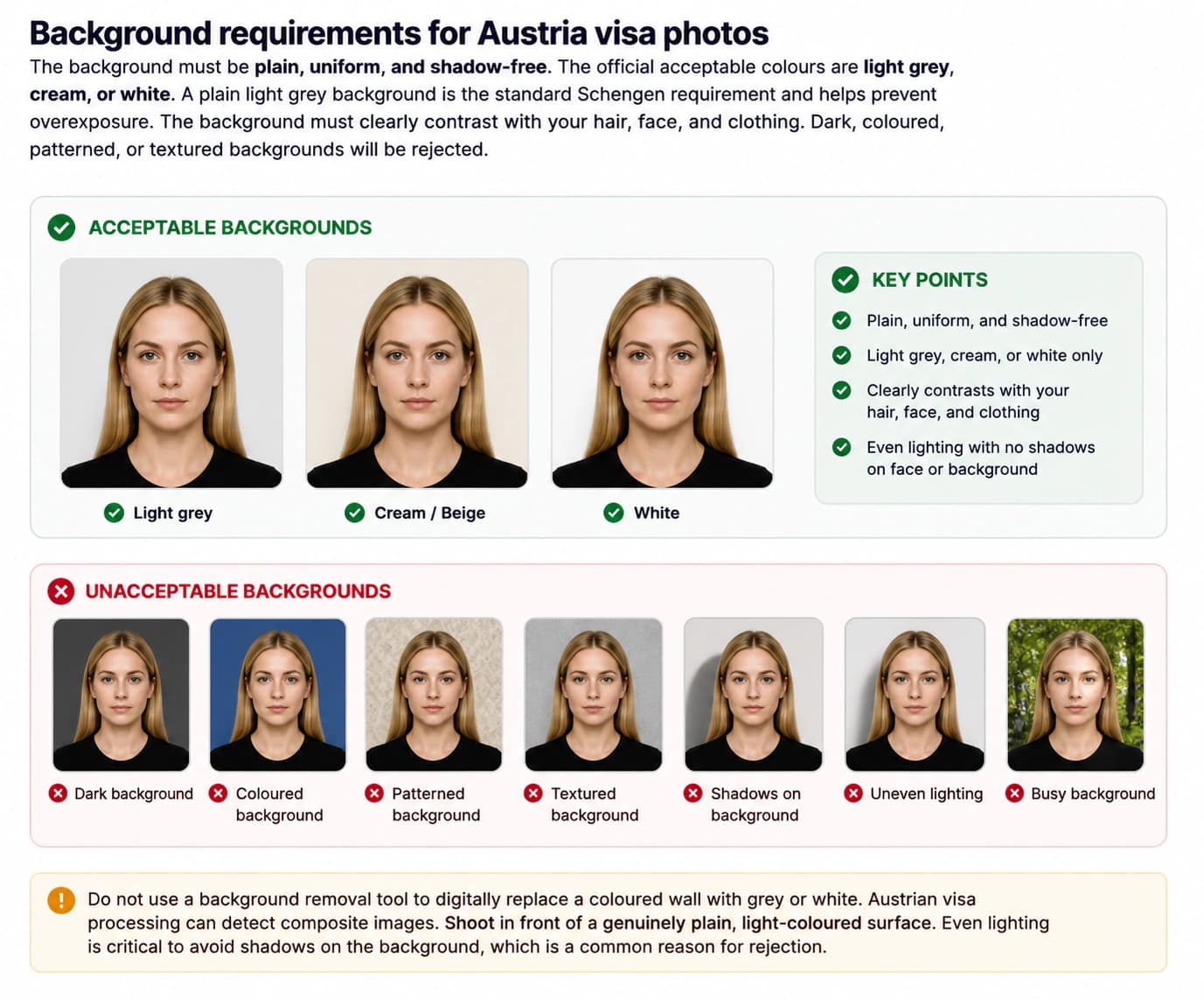
Do not use a background removal tool to digitally replace a coloured wall with white. Israeli visa processing can detect composite images. Shoot in front of a genuinely plain, light-coloured surface.
Face position, expression, and lighting requirements
Your face must be centred in the frame, looking directly at the camera lens with your head level and upright — not tilted, not turned, chin neither raised nor lowered. Both sides of your face must be equally visible. Hair must not cover your eyes, eyebrows, or the edges of your face. Your eyes must be fully open and directed at the lens. Your mouth must be closed with a neutral, relaxed expression — no smile, no frown, no raised eyebrows.
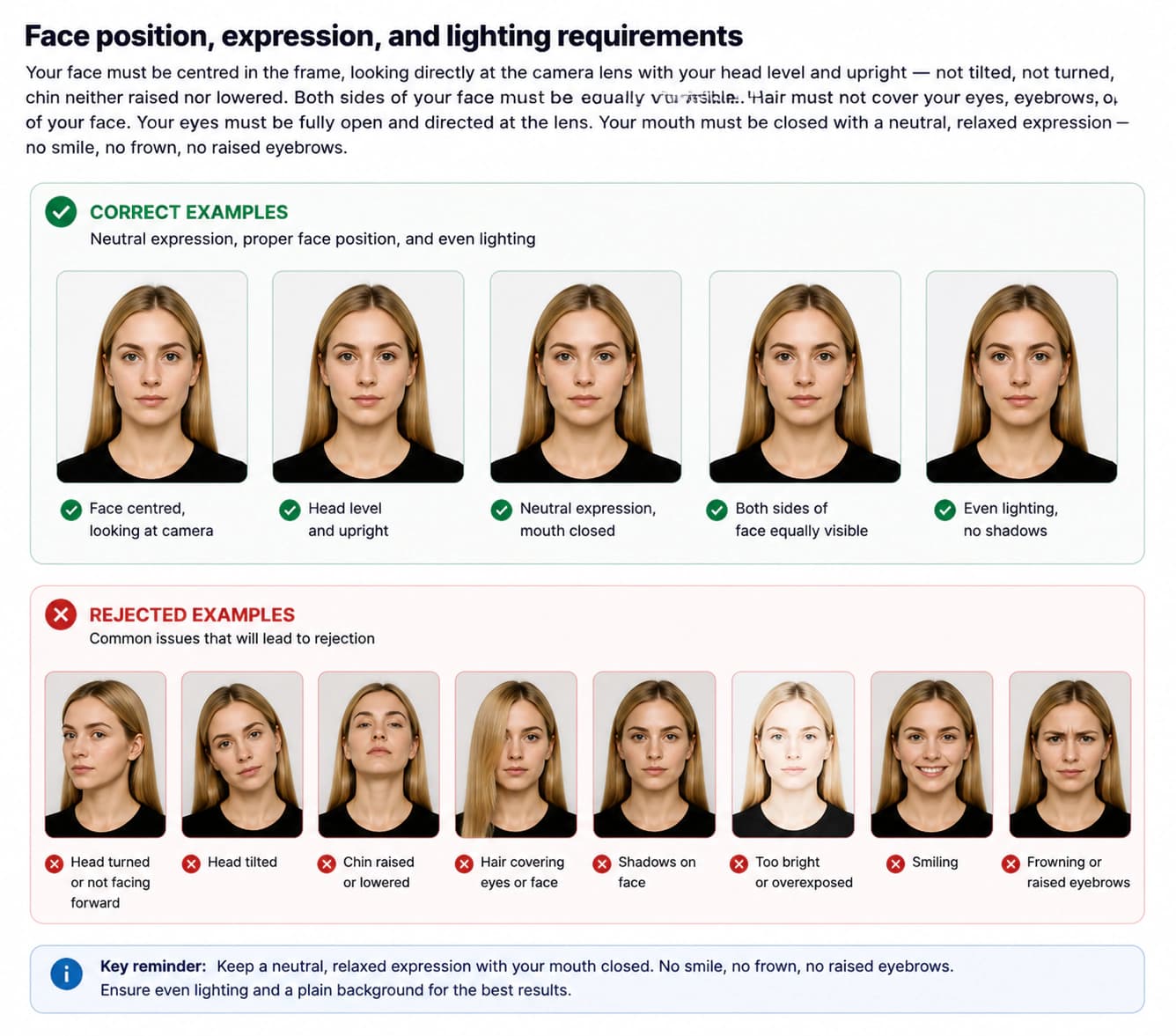
Lighting must be even and diffused across the entire face. No harsh shadows should appear on your face — including under the chin, beside the nose, or in the eye sockets — or on the background behind you. Avoid direct flash.
Glasses policy for Israel visa photos
Glasses are not permitted in Israeli visa photos. This applies to all types of eyewear — prescription glasses, clear frames, lightly tinted lenses, and rimless frames. Remove all glasses before taking the photo.
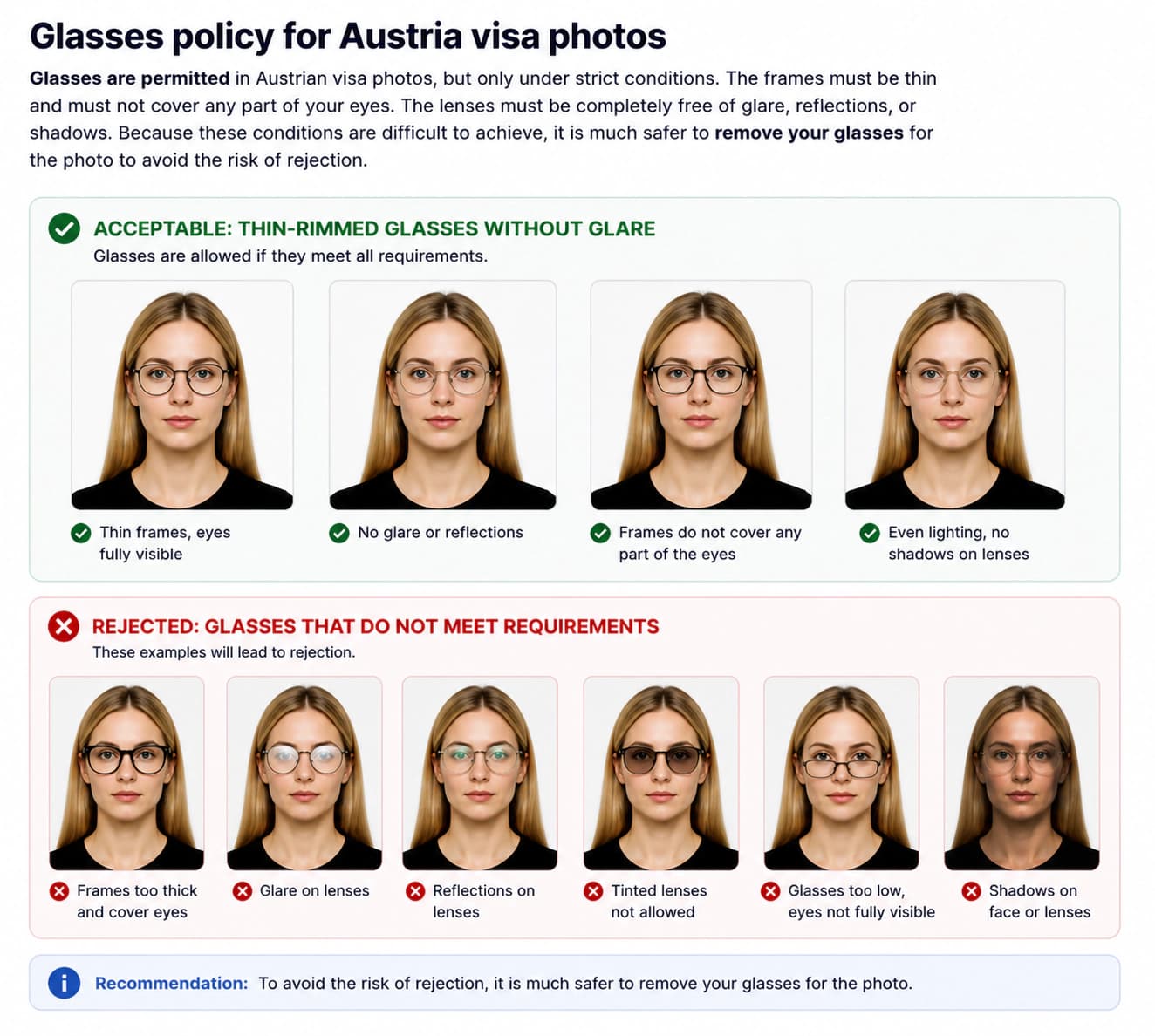
Contact lenses that do not visibly alter the colour of the iris are acceptable.
Israel visa photo checklist: do's and don'ts
Review these requirements carefully before uploading to the online portal.
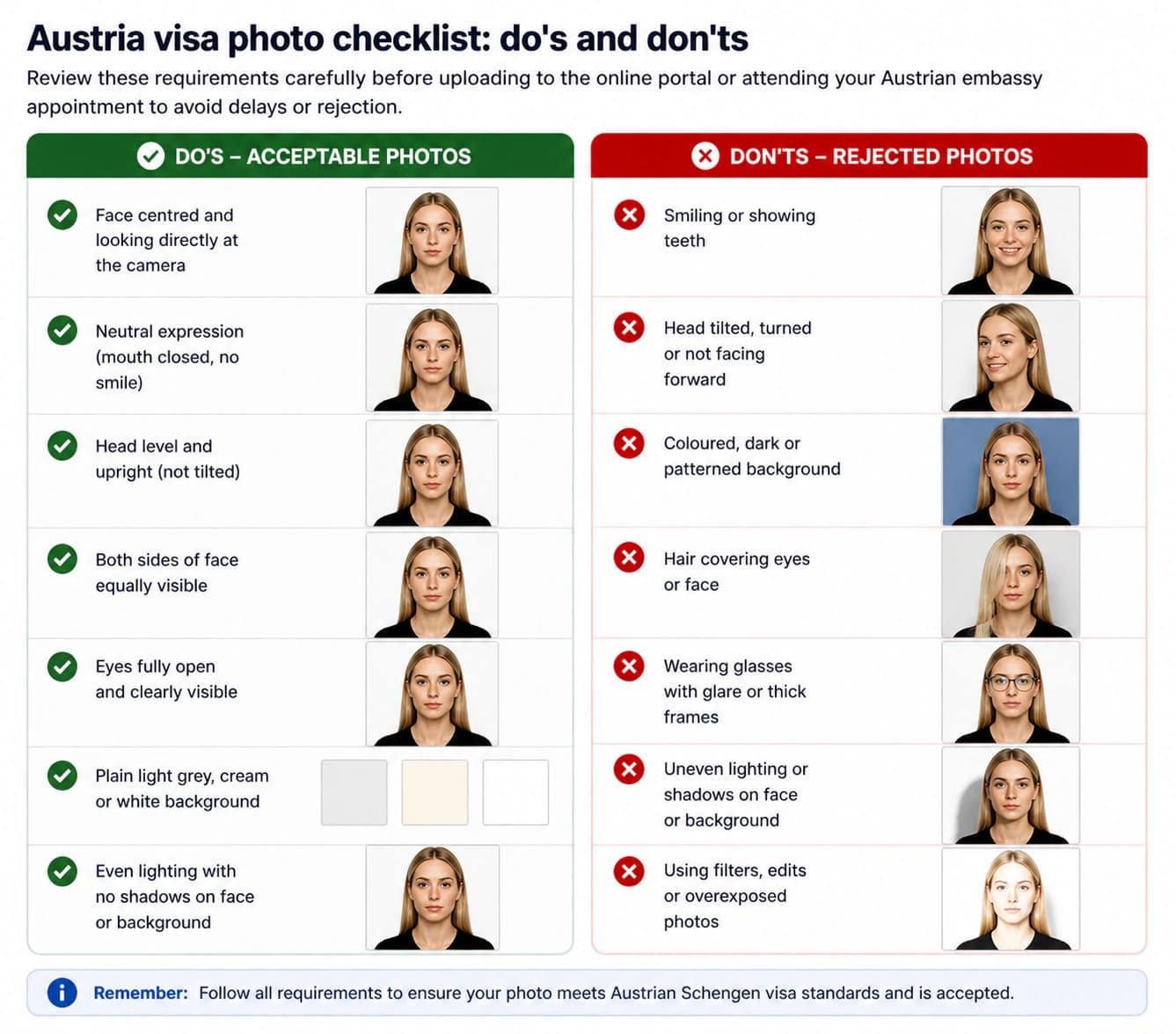
DO
- Use a plain white or off-white background that is evenly lit and free of shadows, patterns, or textures
- Ensure your face is centred, forward-facing, and fully visible from chin to crown
- Keep your eyes fully open and looking directly at the camera lens
- Maintain a neutral, relaxed expression with your mouth closed
- Use even, diffused lighting with no shadows on your face or background
- Include the tops of both shoulders and the base of the neck in the frame
- Ensure hair does not obscure your eyes, eyebrows, or the edges of your face
- Submit a JPEG file under 2 MB for online submissions
- Have the photo taken within the last 6 months to reflect your current appearance
- Wear everyday clothing that contrasts well with the background
DON'T
- Wear glasses — they are not permitted in Israeli visa photos
- Smile, frown, tilt or turn your head, or allow your eyes to be partially closed
- Use a coloured, patterned, textured, or dark background — only white or off-white is accepted
- Retouch, filter, adjust brightness/contrast, or digitally alter the photo in any way
- Submit a scanned photo or a picture of a printed photo
- Upload a JPEG file above 2 MB to the online portal
- Wear hats, caps, or fashion headwear (religious head coverings permitted with conditions)
- Allow hair, large jewellery, or accessories to cover your eyes or face
- Use a photo older than 6 months
- Use a black-and-white, sepia, or heavily compressed image
How to take a correct Israel visa photo at home (step-by-step)
Following these six steps will produce a photo that meets Israeli visa requirements.
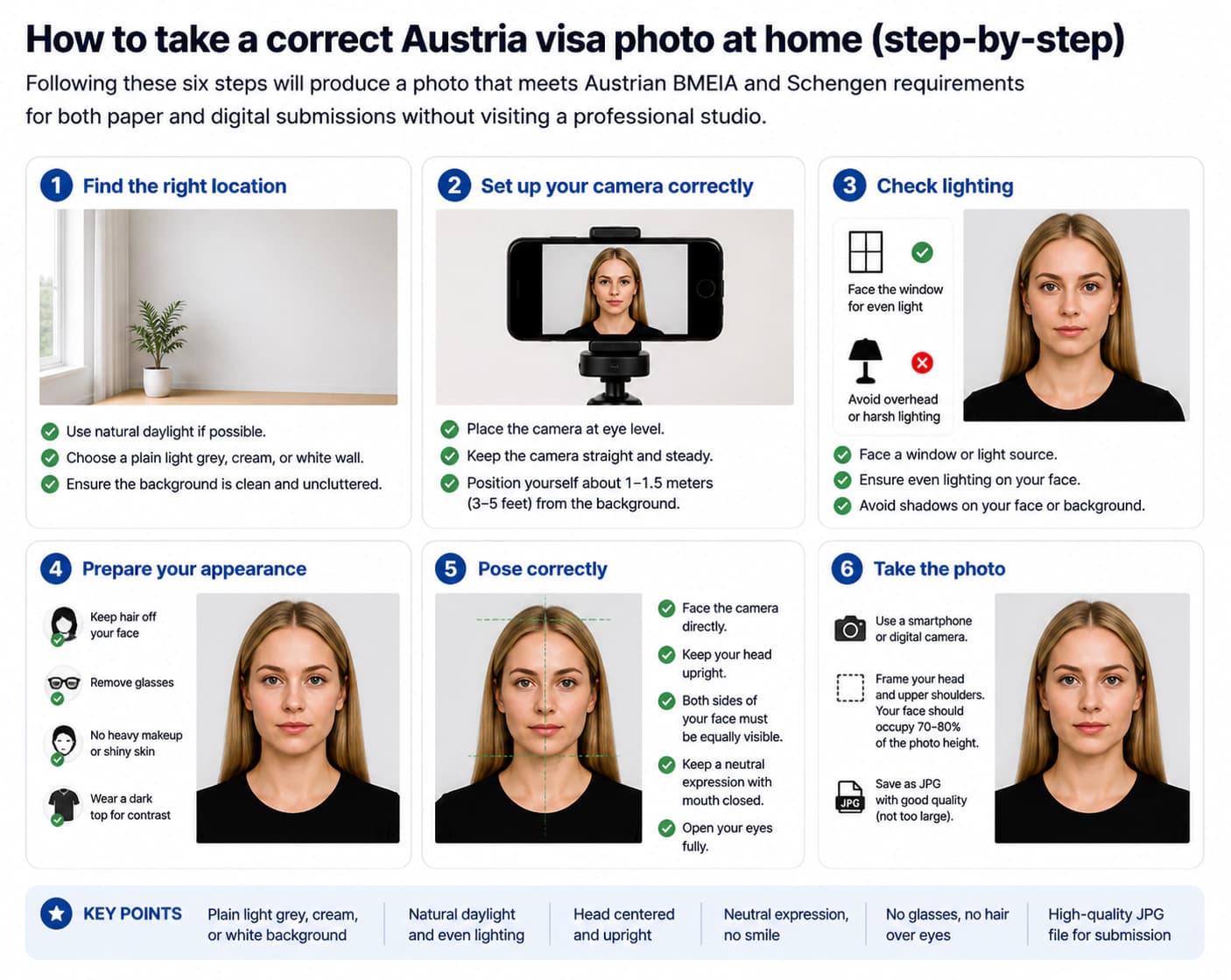
Set up a plain white or off-white background
Stand or sit in front of a plain white or off-white wall or surface. The background must be shadow-free with no patterns, textures, or objects. If you do not have a suitable wall, hang a plain white sheet without wrinkles. Avoid coloured, dark, or patterned backgrounds.
Set up balanced, diffused lighting
Use natural daylight from a large window, or two balanced artificial lights at equal height and distance on either side of your face. Avoid direct flash, which creates harsh highlights, red-eye, and shadows. Soft, even lighting is crucial for a uniform background and a well-lit face.
Position your head and body correctly
Face the camera directly with your head level and upright — not tilted, not turned. Your chin should be neither raised nor lowered. Both sides of your face should be equally visible. Your shoulders and the base of your neck should appear at the bottom of the frame. Position yourself approximately 45–60 cm from the camera.
Take the photo
Open your eyes fully and look directly into the lens. Keep a neutral expression with your mouth closed — no smiling, frowning, or raised eyebrows. Remove all glasses before the shot. Ask someone else to take the photo for better framing and sharpness.
Crop and size the image
For paper submissions, crop to exactly 2 × 2 inches (51 × 51 mm) at 300 DPI minimum, ensuring the face occupies 70–80% of the height. For online submissions, export as a JPEG file under 2 MB. Resize or compress the image if necessary while maintaining good quality. Ensure the photo remains perfectly square.
Check before submitting
Verify the background is plain white or off-white and shadow-free, no glasses are in the photo, eyes are fully open with a neutral expression, the face occupies 70–80% of the 2×2 inch square frame, hair does not obscure the face, and the JPEG file is under 2 MB before submitting.
Common Israel visa photo rejection reasons in 2026
Israeli visa processing checks biometric compliance, image quality, and file specifications.
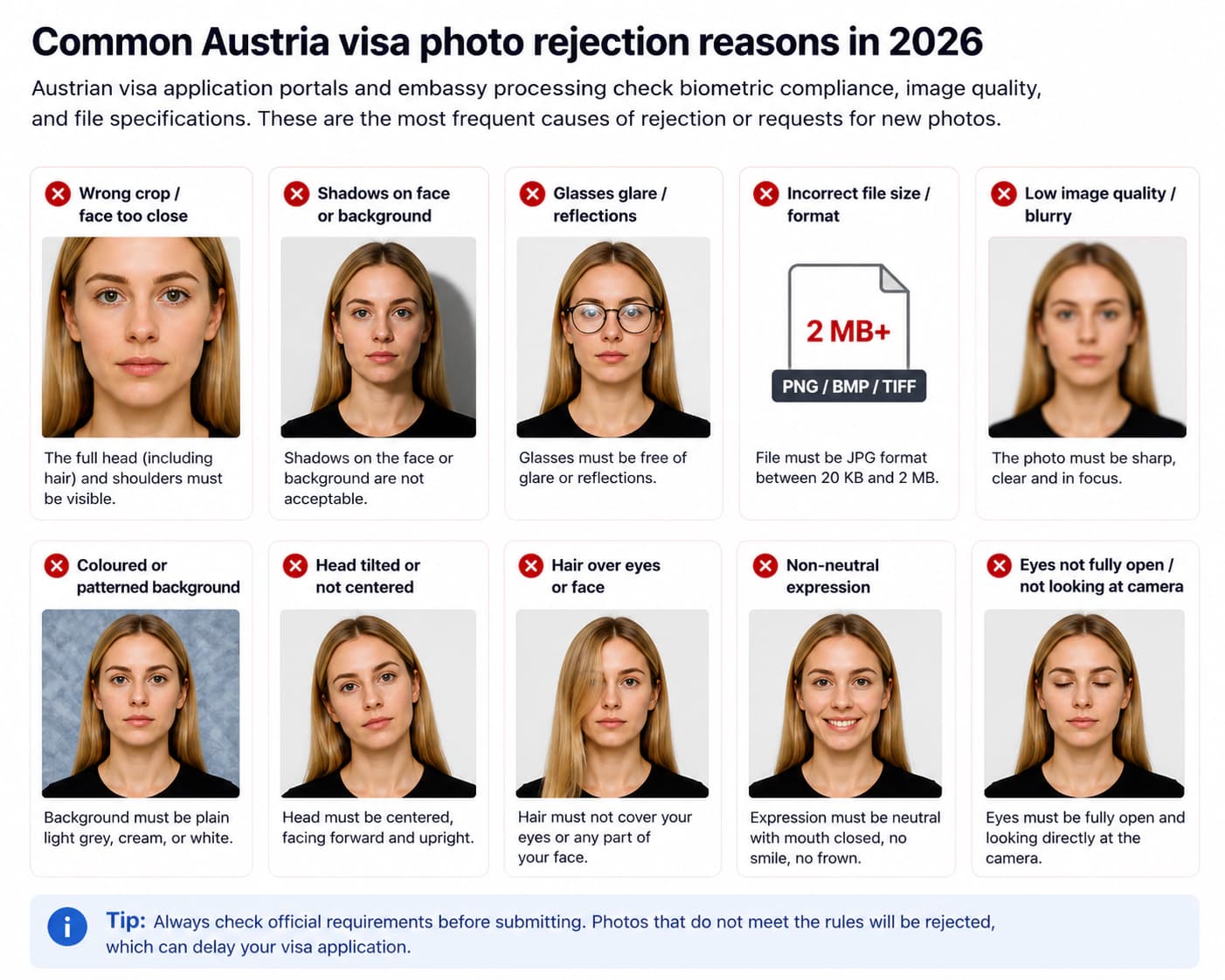
Incorrect photo dimensions (not square)
Israel requires a square 2 × 2 inch (51 × 51 mm) photo — not the 35 × 45 mm rectangular format used for Schengen visas. Ensure your photo is perfectly square with equal width and height.
Incorrect background colour or shadows
Israel requires a plain white or off-white background. Dark, coloured, patterned backgrounds or the presence of any shadows on the background or face will lead to rejection.
Glasses in the photo
Glasses are not permitted in Israeli visa photos. This applies to all types of eyewear including prescription glasses, clear frames, tinted lenses, and rimless frames. Remove all glasses before taking the photo.
Non-neutral expression or head position
Smiling, open mouth, tilted head, head turned to the side, raised eyebrows, or partially closed eyes will cause rejection. Your head must be level and upright with a neutral expression and mouth closed.
Face proportion out of range
Your face from chin to crown must occupy 70–80% of the 2 × 2 inch photo height (approximately 32–36 mm). A face that is too small or too large will be rejected.
File size or format incorrect
The Israeli visa portal requires a JPEG file. While no strict maximum is specified, files under 2 MB are recommended. Large files may cause upload issues.
Photo older than 6 months
The photo must be recent (taken within the last 6 months) and reflect your current appearance. Older photos will be rejected.
Hair or accessories obscuring the face
Hair covering the forehead, eyebrows, or eyes, and large earrings or accessories casting shadows on the face, are common causes of rejection.
Israel visa photo requirements for babies and children
Children of all ages, including newborns, must have their own separate visa photo.
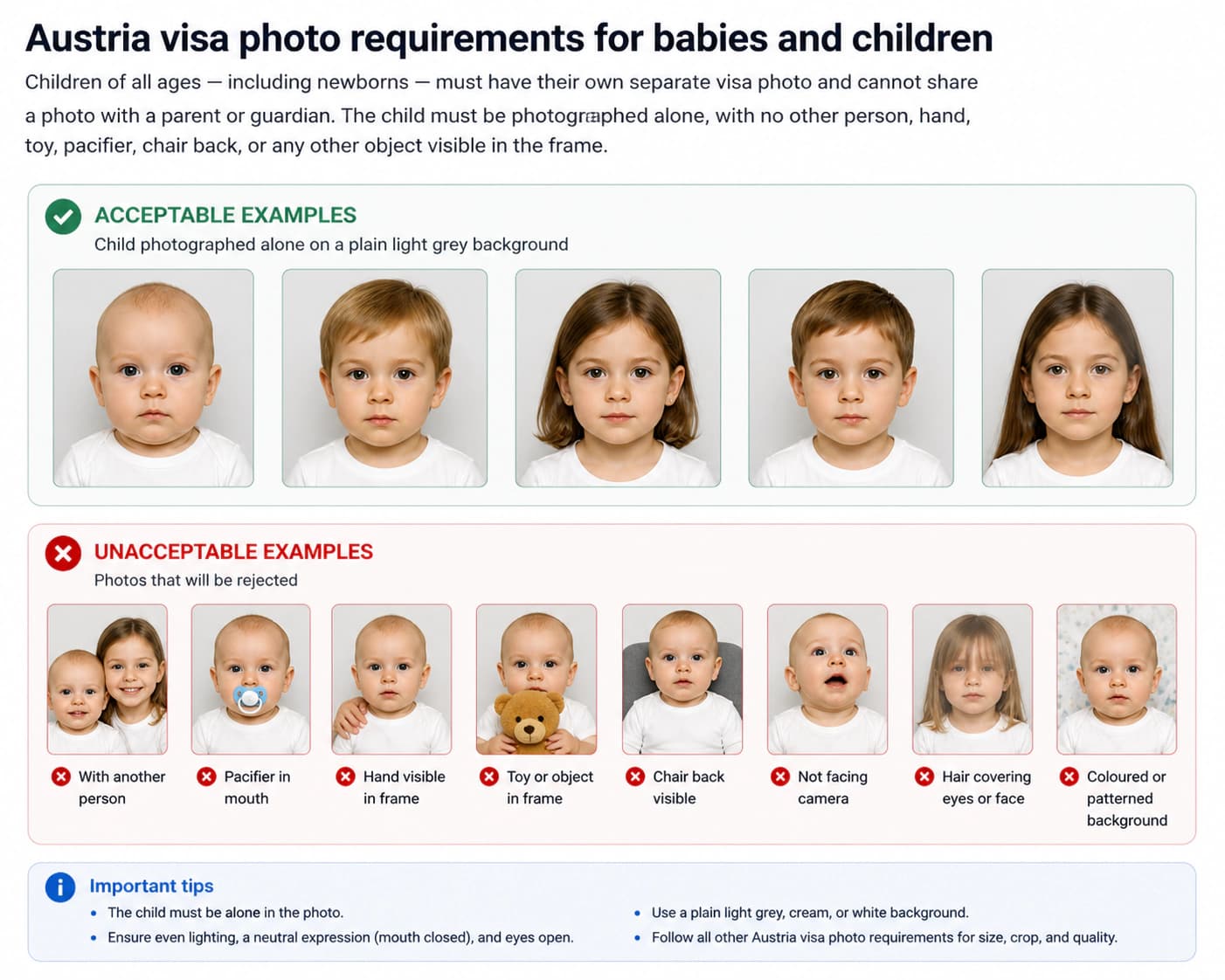
For very young infants who cannot support their own head, lay them on a plain white or off-white sheet on a flat surface and photograph from directly above.
Religious head coverings in Israel visa photos
Religious head coverings are permitted provided they are worn daily for religious reasons and your full face remains clearly visible.
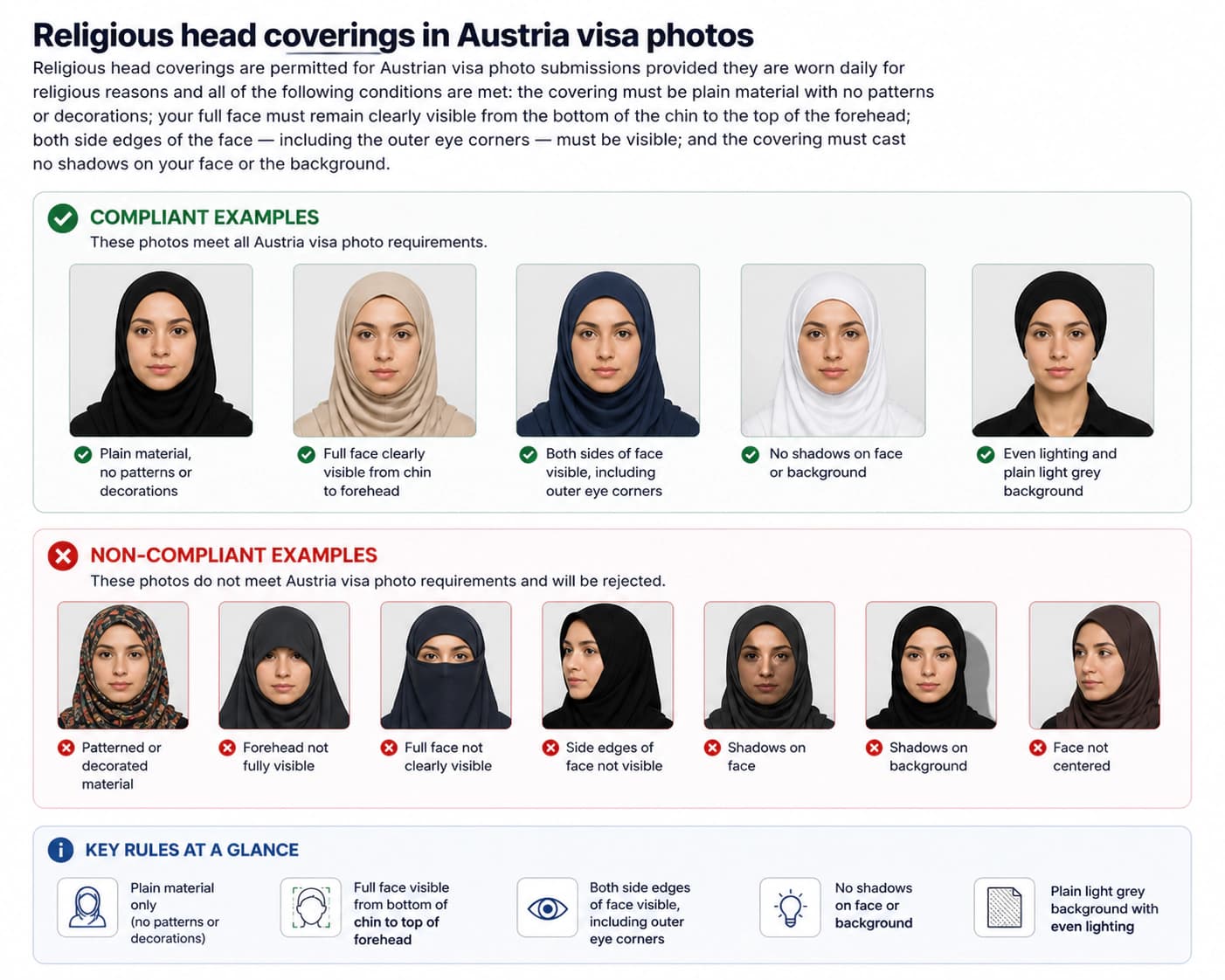
Fashion hats, caps, and decorative headwear are not permitted.
Official sources
These pages are the authoritative references.
Frequently asked questions: Israel visa photo 2026
What is the Israel visa photo size requirement in 2026?
Israel visa photos must be 2 inches by 2 inches (51 mm × 51 mm) — a square format. Your face from chin to crown must occupy 70–80% of the photo height (approximately 32–36 mm). The background must be plain white or off-white. For online applications, submit a JPEG file under 2 MB.
What is the Israel visa photo size in pixels?
The Israeli online portal does not specify a fixed minimum pixel count, but a resolution of at least 600 × 600 pixels is recommended. Aim for 800 × 800 pixels or higher for best results, ensuring the JPEG file stays under 2 MB. The photo must remain square.
What is the Israel visa photo size in cm and inches?
The photo must be 2 inches by 2 inches. In centimetres, that is approximately 5.1 cm wide by 5.1 cm high — a perfect square. The face from chin to crown must occupy approximately 3.2–3.6 cm (70–80% of the height).
What colour must the background be for an Israel visa photo?
The background must be plain white or off-white — uniform and evenly lit with no shadows, patterns, or textures. Dark, coloured, or patterned backgrounds are not accepted.
Can I wear glasses in an Israel visa photo?
No. Glasses are not permitted in Israeli visa photos. This applies to all types of eyewear — prescription glasses, clear frames, tinted lenses, and rimless frames. Remove all glasses before taking the photo.
Can I smile in an Israel visa photo?
No. You must maintain a neutral expression with your mouth closed and eyes fully open. Smiling, frowning, raised eyebrows, head tilt, and any non-neutral expression will cause your photo to be rejected.
How recent must an Israel visa photo be?
The photo must have been taken within the last 6 months and must accurately reflect your current appearance. Photos that are older will be rejected.
What is the file size limit for Israel visa online photo upload?
The Israeli visa portal recommends JPEG files under 2 MB. Files larger than this may cause upload issues. Aim for a file between 100 KB and 2 MB for best results.
Is the Israel visa photo size different from Schengen visas?
Yes. Israel requires a square 2 × 2 inch (51 × 51 mm) photo. Schengen visas require a rectangular 35 × 45 mm photo. Always use Israel-specific specifications.
Can I retouch or edit my Israel visa photo?
No. Any form of digital retouching or editing is prohibited. This includes skin smoothing, blemish removal, background replacement, and brightness or contrast adjustments. The submitted file must be the original, unaltered digital capture.
What should I wear for an Israel visa photo?
Wear everyday clothing that clearly contrasts with the white or off-white background. Avoid white or very pale tops that blend with the background. Do not wear uniforms, costumes, or anything that obscures the face or neck. Religious dress is permitted if the full face remains visible.
Are religious head coverings allowed in an Israel visa photo?
Yes, provided the covering is worn daily for religious reasons and your full face from chin to crown remains clearly visible. The covering must be plain material with no patterns, must not cast shadows, and both side edges of the face must be visible.
What are the Israel visa photo requirements for babies and children?
Children of all ages, including newborns, must have their own separate visa photo. For infants who cannot support their head, lay them on a plain white or off-white sheet on a flat surface and photograph from directly above. All standard requirements apply, with some flexibility on expression for very young infants.
Should an Israel visa photo be matte or glossy?
For paper submissions, either matte or glossy photo paper is acceptable. For digital submissions via the online portal, paper finish is irrelevant. Ensure printed photos are on high-quality photo paper.
Can I use a photo taken on my phone for an Israel visa?
Yes, provided the photo meets all requirements: plain white or off-white background, neutral expression, no glasses, face occupying 70–80% of the 2×2 inch square frame, JPEG format under 2 MB. Have a second person take the photo for better framing.
What is the application process for an Israel visa?
Most nationalities require a visa to enter Israel. You can apply through the Israeli Ministry of Foreign Affairs online portal or at your local Israeli embassy/consulate. The visa photo is a required part of the application. Always check the specific requirements for your country of origin.
Ready to prepare your Israel photo?
Upload your original image and our tool will automatically crop to 2×2 inches (51×51 mm), verify the plain white/off-white background, check biometric face proportions, and compress the JPEG under 2 MB — ready to upload to the Israeli visa portal.
Check My Photo Now